The stakes keep rising. CNCF's Cloud Native 2024 survey found that 74% of organizations used containers to manage stateful applications in 2024, up 10% from 2023. Meanwhile, Lucidity's internal research puts average enterprise disk utilization at about 30%, which means a lot of paid-for capacity sits idle.
No Kubernetes storage option is universally best. The right pick depends on the workload's state, access pattern, performance needs, availability targets, protection requirements, and budget. This guide walks through each.
Key Takeaways
- Kubernetes storage spans ephemeral volumes plus persistent block, file, object, and local options.
- PVs hold storage, PVCs request it, and StorageClasses plus CSI drivers provision it.
- Choose by workload behavior: persistence, access pattern, latency, topology, recovery goals, and budget.
- Storage needs ongoing care: monitor, resize, review reclaim policies, delete unused volumes.
What is Kubernetes Storage?
Kubernetes storage is the set of volume abstractions, drivers, and backend services that let Pods use temporary or persistent data.
The core split is lifetime:
- Ephemeral storage follows the Pod or container. When the Pod goes, the data goes.
- Persistent storage survives Pod replacement and is represented by PersistentVolume and PersistentVolumeClaim resources.
Core components of Kubernetes storage
Kubernetes separates what an application asks for from how the backend delivers it. Developers request capacity and access characteristics without hard-coding a disk or provider.
Volumes and ephemeral storage
emptyDiris scratch space created when a Pod lands on a node and deleted when the Pod is removed. A container crash doesn't erase it.- ConfigMap and Secret volumes project configuration into files. Secret volumes are read-only.
hostPathexposes a node path. It carries container-escape and credential risks, so avoid it for production persistence.- Generic ephemeral volumes (stable in 1.23) create a PVC owned by the Pod and deleted with it.
PersistentVolumes and PersistentVolumeClaims
A PV is cluster-scoped storage with its own lifecycle. A PVC is a namespaced request for capacity, access mode, and optionally a StorageClass. Binding is exclusive and one-to-one.
StorageClasses and CSI drivers
A StorageClass names a provisioner and sets driver-specific parameters, reclaim policy, expansion, binding mode, and allowed topologies. CSI drivers connect Kubernetes to cloud or external storage. The legacy in-tree EBS and Azure Disk plugins were removed in 1.27, so CSI is now the path.
Two defaults catch people out: reclaimPolicy defaults to Delete, and volumeBindingMode defaults to Immediate.
Access modes and StatefulSets
| Mode | Meaning |
|---|---|
| RWO | Read-write from one node; several Pods on that node can share it |
| ROX | Read-only from multiple nodes |
| RWX | Read-write from multiple nodes, if the driver supports it |
| RWOP | Read-write from a single Pod; CSI only, stable in 1.29 |
Access modes match claims to volumes. They don't replace application-level replication or file locking. StatefulSets add volumeClaimTemplates, creating one PVC per Pod for stable storage identity.

Why workloads rely on it
Persistent storage turns into concrete outcomes:
- Data survives rescheduling and node failures
- Databases run predictably
- Backup and restore workflows become possible
- Shared access works where the backend supports it
- Manifests stay separate from infrastructure details
What to Consider When Choosing Kubernetes Storage per Workload
Work in order: classify the workload and its data lifecycle, then evaluate storage type, performance, availability, protection, and cost. Each factor ties to something measurable, such as latency, recovery time, utilization, or cloud spend.
Workload state and data lifecycle
Start by naming what you're running: stateless service, cache, scratch job, transactional database, analytics, AI/ML, logging, backup, or artifact store. Then ask three questions:
- Can the data be recreated?
- Must it persist across restarts?
- Must it be retained for compliance?
Recreatable scratch data belongs on emptyDir. A payments database does not.
Storage model and access pattern
- Block suits single-node or application-managed filesystems, typically RWO. Examples: EBS, Azure Disk, GKE Persistent Disk.
- File suits shared POSIX-style access, typically RWX. Examples: EFS, Azure Files, Filestore.
- Object suits API-based unstructured data. FUSE mounts (Mountpoint for S3, BlobFuse, Cloud Storage FUSE) are constrained filesystems, not full POSIX or database backends per Google's documentation.
- Local or ephemeral suits temporary, latency-sensitive data. Local PVs tie Pods to a node and need node affinity.
Advertised RWX is an attachment capability. It doesn't guarantee coherent concurrent writes to the same file or object. Multi-attach block volumes, such as EBS io2 shared across up to 16 Nitro instances, still need the application to coordinate writes.
Performance requirements
Define latency, IOPS, throughput, read/write ratio, queue depth, burst behavior, and growth. Published ceilings are only ceilings:
- EBS gp3: up to 80,000 IOPS and 2,000 MiB/s per volume
- EBS io2 Block Express: up to 256,000 IOPS and 4,000 MiB/s
- Azure Ultra Disk: up to 400,000 IOPS and 10,000 MB/s

Disk size, I/O size, and VM limits all cap what you actually get. Benchmark with your own workload. CloudNativePG recommends fio for storage and pgbench for the database. Use them in staging only; production runs can be catastrophic for shared workloads.
Availability, topology, and scalability
- Use
WaitForFirstConsumerso volumes are provisioned where the Pod can actually run. EBS attaches only within its AZ, and GKE PDs are zonal unless regional. - Regional PD and Hyperdisk Balanced HA replicate across two zones. That's backend replication, not Kubernetes-level redundancy.
- StatefulSets keep each Pod's claim stable across rescheduling.
- Set
allowVolumeExpansion: truefor growth. Kubernetes expansion never shrinks a volume.
Data protection and security
Snapshots are not a disaster-recovery plan. The VolumeSnapshot API (GA in 1.20) creates new volumes from snapshots and doesn't guarantee application consistency.
CNCF's September 2026 guidance reproduced the problem: independently successful snapshots of related volumes produced 25 payments without matching orders. Test restores into a clean target, validate data, and time the recovery.

Also decide on:
- Encryption at rest and in transit (EBS/EFS keys, Azure Files SMB 3.x, GKE CMEK)
- Reclaim policy:
DeleteorRetaingoverns disposal, not backup completeness - Retention, RPO, and RTO targets
Cost and day-two operations
Clouds bill provisioned capacity, not what you use. AWS charges for provisioned GB, plus IOPS and throughput above baseline on gp3. Azure bills disk size and tier. Add snapshot retention, cross-zone transfer, and replication overhead.
Review these after deployment:
kubelet_volume_stats_used_bytesversus capacity per PVC- Inode usage and IOPS versus provisioned IOPS
- Orphaned PVs and retained volumes
- ResourceQuota usage per StorageClass
Use a cheaper tier when the workload is latency-tolerant, such as logs, dev environments, or batch output. Pay for premium block when latency or IOPS directly affects transactions, as with a primary database.
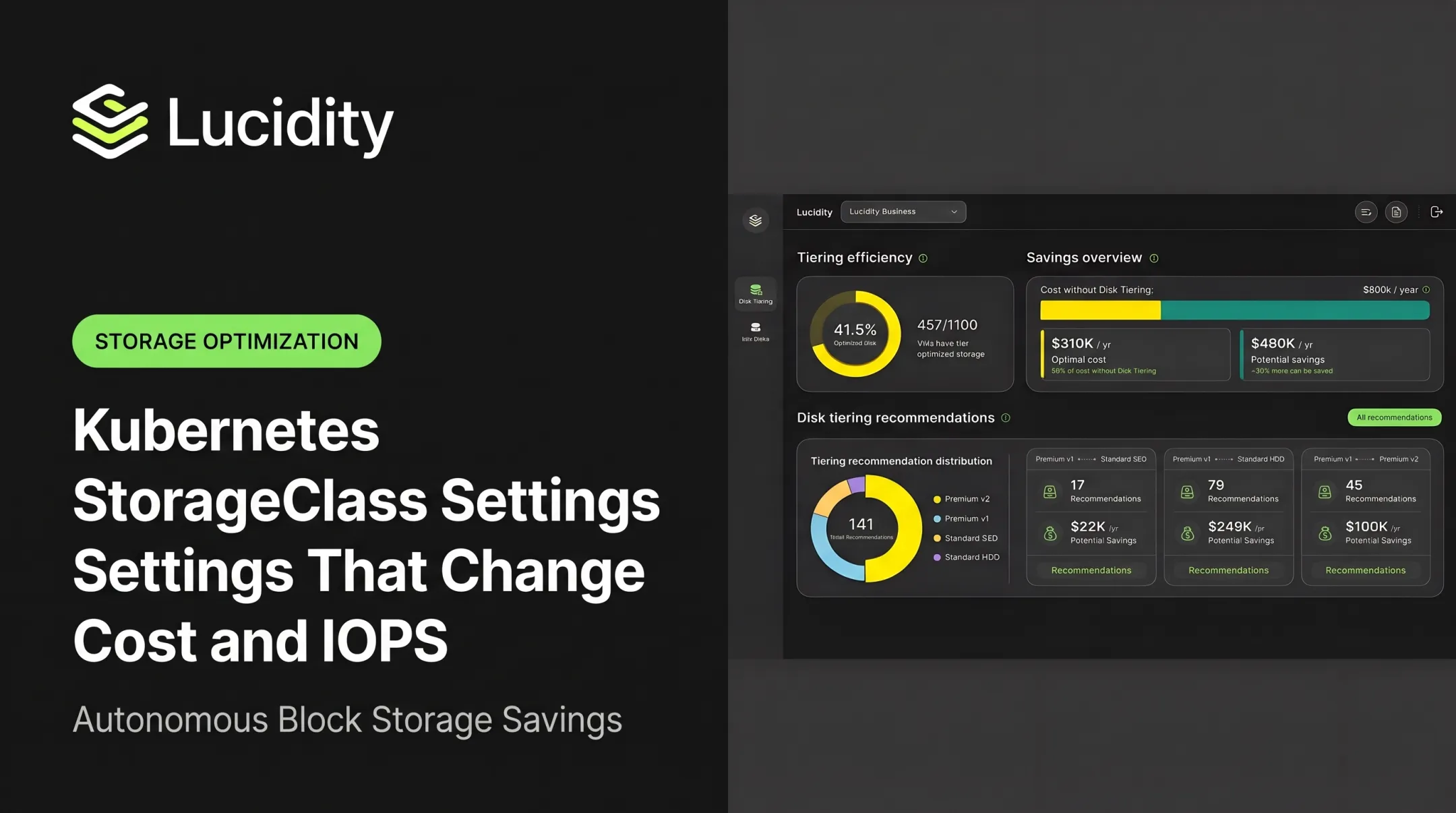
At scale, tier choice shows up fast in the bill. Lucidity's internal example compares $800K per year without tiering against a $310K optimal tiered cost.

How Lucidity Can Help
Lucidity works as an operational layer for teams running cloud block storage behind Kubernetes. It doesn't replace PVs, PVCs, StorageClasses, or CSI. It addresses the utilization and visibility problems that sit underneath them.
Lucidity doesn't cover file or object storage, which need their own services and policies.
For ITOps, DevOps, and FinOps teams, the platform offers:
- Real-time visibility into volumes across AWS, Azure, and Google Cloud
- AutoScaler, which expands and shrinks supported cloud disks with zero downtime
- Lumen, with evidence-backed tiering recommendations (such as Azure Premium SSD to Standard SSD) from historical IOPS, throughput, and latency
- Detection of four idle-disk types: unattached, reserved, unmounted, and zero-I/O
- Conversational queries across the storage estate
- Application-agnostic NoOps approach with no code changes
- SOC 2 compliance
Evaluate it against your own utilization, downtime, governance, and engineering-effort metrics. Lucidity also offers a free storage assessment.
Conclusion
Picking Kubernetes storage per workload starts with the data lifecycle and access pattern, not the most feature-rich product. Balance durability, performance, availability, recovery, security, and cost across the whole lifecycle.
Storage needs shift as workloads evolve. Revisit decisions using utilization, performance, failure, recovery, and spend data.
Frequently Asked Questions
What are the types of storage classes in Kubernetes?
Kubernetes has no fixed list. Administrators define classes around a provisioner, performance tier, replication, reclaim behavior, expansion, and topology, usually backed by CSI drivers.
What are S3 storage classes?
They're AWS object-storage tiers for different access frequency and retention needs, such as Standard, Intelligent-Tiering, and Glacier. They're unrelated to Kubernetes StorageClass objects.
What are PV and PVC in Kubernetes?
A PersistentVolume is provisioned cluster storage. A PersistentVolumeClaim is a workload's request for it. A PVC binds one-to-one to a PV, created statically by an admin or dynamically through a StorageClass.
What storage is best for databases in Kubernetes?
It depends, but databases usually need durable block storage with suitable latency, IOPS, expansion, and snapshot support. Benchmark first and follow your database operator's guidance.
Can Kubernetes use object storage such as Amazon S3?
Yes, through S3-compatible APIs, operators, or a mount like Mountpoint for S3. Don't treat it as a full POSIX filesystem or a database volume.
What is the difference between ReadWriteOnce and ReadWriteMany?
RWO allows read-write from one node, though multiple Pods on that node can use it. RWX allows multiple nodes, if the CSI driver and backend support it. Concurrent-write safety is a separate issue.