AWS S3 Lifecycle policies fix this with rules. A rule matches a set of objects, then transitions them between storage classes, expires them, manages older versions, or cleans up incomplete multipart uploads. AWS publishes a case where Infor saved $15,000 per month through combined S3 optimizations, which included lifecycle removal of expired objects.
This guide covers how rules work, how to pick classes and timing, how to configure and test a policy, and how versioning changes deletion.
Key Takeaways
- A lifecycle rule pairs an object filter with time-based transition, expiration, or cleanup actions.
- Timing follows object age, not last access.
- In versioned buckets, expiring a current object creates a delete marker; older versions still cost money.
- Model retrieval, minimum-duration, and small-object costs before changing production data.
What Are AWS S3 Lifecycle Policies?
How a lifecycle configuration works
A lifecycle configuration is the set of rules attached to a bucket. Each rule tells S3 what to do with a group of objects: transition changes the storage class, expiration deletes. A rule can cover the whole bucket or a filtered subset.
Each rule has:
- An ID that names it
- A status, Enabled or Disabled
- A filter that selects objects
- One or more actions with timing
Lifecycle rules manage S3 objects only. Amazon EBS is block storage, and these rules never touch EBS volumes.
Why organizations use lifecycle policies
Automation removes manual cleanup and enforces retention without tickets. It also lets storage class follow changing data needs, such as hot logs this month and rarely read archives next quarter.
Savings are not guaranteed. Results depend on object size, access patterns, retention, retrieval fees, and class behavior.
Common use cases
- Move application logs to archival storage after a hot period
- Expire temporary exports
- Keep compliance records for a defined period
- Abort abandoned multipart uploads
Separate data you can recreate or delete from data that needs backup, legal retention, fast recovery, or immutable protection. Only the first group belongs under automatic expiration.
How Do AWS S3 Lifecycle Policies Work?
Rule anatomy: filters, timing, and actions
Filters can use a Prefix, Tag, ObjectSizeGreaterThan, ObjectSizeLessThan, or an And combination. A filter supports one prefix and multiple tags, an empty filter covers the whole bucket, and size boundaries are exclusive and measured in bytes.
A rule can hold several actions at different ages. Review overlapping rules for unintended scope.
Rules apply to existing objects and future uploads. Objects already past the expiration age are queued when you add the rule, so a new rule can act on old data right away.
Transition actions
Transitions move current or noncurrent versions to another class after a set age. AWS supports only certain paths, and they only go "down" the waterfall. You can skip intermediate classes but cannot transition back to Standard.
| Source | Supported destinations |
|---|---|
| Standard | Intelligent-Tiering, Standard-IA, One Zone-IA, Glacier Instant, Glacier Flexible, Deep Archive |
| Standard-IA | Intelligent-Tiering, One Zone-IA, Glacier Instant, Glacier Flexible, Deep Archive |
| One Zone-IA or Glacier Instant | Glacier Flexible, Deep Archive |
| Glacier Flexible | Deep Archive |
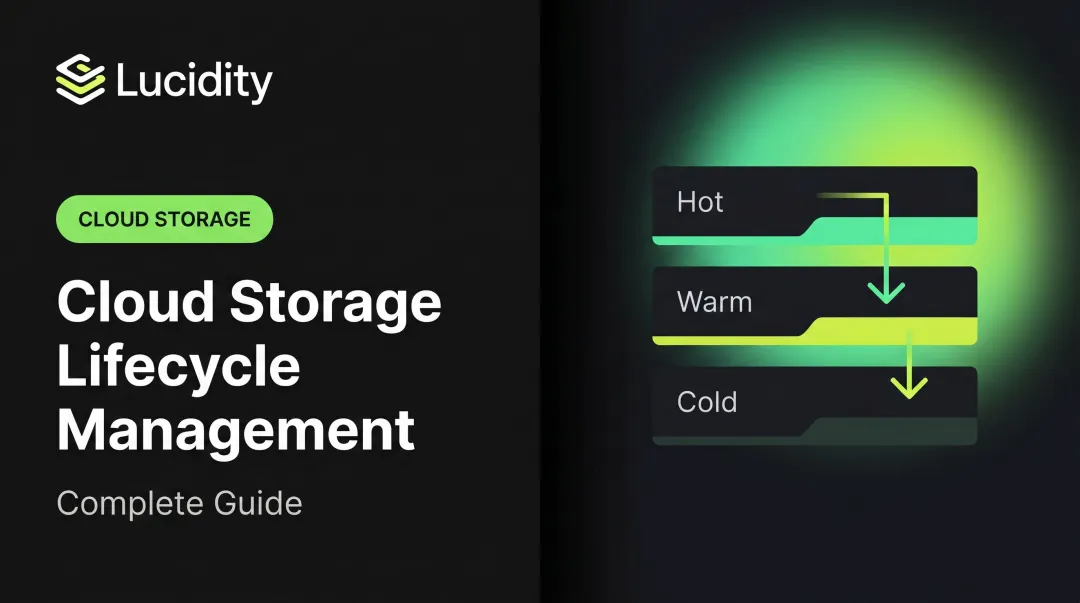
A typical pattern: Standard, then Standard-IA, then Glacier Flexible Retrieval or Deep Archive as data cools.
Two recent changes matter. AWS removed the 30-day wait before IA and One Zone-IA transitions on July 16, 2026, so 0-day transitions work. The 30-day minimum billable residence still applies.
Since September 2024, objects under 128 KB do not transition by default unless you set an explicit size filter or the x-amz-transition-default-minimum-object-size header.
Expiration and deletion actions
These actions differ more than they look:
- Nonversioned expiration permanently removes the object, asynchronously.
- Noncurrent version expiration permanently deletes older versions, with no recovery.
- Expired delete marker removal clears a marker only when it is the sole remaining version.
- Abort incomplete multipart upload removes the parts of unfinished uploads, counted from upload initiation, and never touches completed objects.
Execution is asynchronous. The configured day is an eligibility point, not a deletion deadline, and AWS does not recommend lifecycle alone when you need a fixed deletion time. Expiration is destructive, so tie it to a documented retention requirement and test the scope first.
How lifecycle timing is calculated
Days counts from object creation, not rule creation. NoncurrentDays counts from when a version became noncurrent. S3 adds the days and rounds up to the next midnight UTC.
A common misconception: lifecycle does not detect inactivity. Native rules do not use last-access time. If access patterns are unknown, use S3 Intelligent-Tiering, which moves objects by access, or run Storage Class Analysis first.
Minimum durations, size rules, and delayed processing also affect when an action fires and what it costs.
Worked lifecycle example
For an application-logs bucket, scope the rule to the logs/app/ prefix:
- Days 0-30: keep in Standard for active debugging.
- Day 30: transition to Standard-IA.
- Day 90: transition to Glacier Flexible Retrieval.
- Day 365: expire, only if your retention policy allows deletion.

A narrow prefix or tag keeps the destructive step away from data you didn't mean to include.
How to Choose S3 Storage Classes and Transition Timing
Match storage classes to access and recovery requirements
All seven classes are designed for 99.999999999% durability. Differences show up elsewhere:
| Class | Designed availability | Retrieval | Minimum duration |
|---|---|---|---|
| Standard | 99.99% | Milliseconds | None |
| Intelligent-Tiering | 99.9% | Milliseconds (archive tiers need restore) | None |
| Standard-IA | 99.9% | Milliseconds | 30 days |
| One Zone-IA | 99.5%, single AZ | Milliseconds | 30 days |
| Glacier Instant | 99.9% | Milliseconds | 90 days |
| Glacier Flexible | 99.99% after restore | Minutes to hours | 90 days |
| Deep Archive | 99.99% after restore | Hours | 180 days |
One Zone-IA does not protect against loss of its Availability Zone. The cheapest per-GB rate often costs more once you count retrieval fees, restores, transitions, and early deletion.
Calculate the full lifecycle cost
Check the S3 pricing page for current rates, and include:
- Storage per GB in each class
- Transition request charges, which depend on the destination class
- Retrieval and restore charges
- Prorated early-deletion charges if you delete, overwrite, or transition before the minimum
- Intelligent-Tiering per-object monitoring fees
Archive overhead is easy to miss. Each Glacier Flexible or Deep Archive object adds 40 KB of metadata: 8 KB billed at Standard rates and 32 KB at the archive rate. For millions of tiny objects, that overhead can erase the savings. Standard-IA and Glacier Instant also bill a 128 KB minimum per object.

Choose timing from evidence, not assumptions
Before picking days, review object age, size, prefixes, tags, access patterns, retention requirements, and version counts. Storage Class Analysis watches access for 30 days or longer and recommends Standard to Standard-IA moves.
Age-based rules suit data with predictable decay, like logs. For unpredictable access, Intelligent-Tiering is the better fit.
How to Create, Test, and Monitor a Lifecycle Policy
Prepare the bucket before creating a rule
- Document retention, recovery, compliance, and deletion requirements first
- Use S3 Inventory to preview which objects the rule would match
- Review inventory fields: storage class, size, last modified, version ID, and delete-marker flags (first report can take up to 48 hours)
- Check whether versioning, Object Lock, replication, or legal holds change what expiration does
Configure the rule in the AWS Management Console
- Open the bucket and choose the Management tab.
- Choose Create lifecycle rule and give it a unique name.
- Set the scope: whole bucket, or filter by prefix, tags or size.
- Select actions: current-version or noncurrent-version transitions, expiration, expired delete-marker cleanup, and incomplete multipart upload cleanup.
- Enter the timing and choose Create rule.

Console labels change, so confirm against the current interface.
Configure rules with CLI, SDK, or infrastructure as code
Start with a scoped, non-destructive transition:
{
  "Rules": [
    {
      "ID": "logs-to-ia",
      "Status": "Enabled",
      "Filter": { "Prefix": "logs/app/" },
      "Transitions": [
        { "Days": 30, "StorageClass": "STANDARD_IA" }
      ]
    }
  ]
}
Apply it with:
aws s3api put-bucket-lifecycle-configuration --bucket BUCKET --lifecycle-configuration file://lifecycle.json
This call replaces the entire configuration. Run get-bucket-lifecycle-configuration first, merge your changes into the existing rules, then apply. CloudFormation, Terraform (aws_s3_bucket_lifecycle_configuration) and SDKs make this repeatable and reviewable.
Test safely before production rollout
- Try the rule on a disposable bucket or non-production prefix
- Verify scope, age calculations, version behavior, class eligibility and multipart cleanup
- Allow for asynchronous processing before judging results
- Keep a rollback plan. Reverting the configuration is easy, but deleted data is gone without an independent backup
Monitor results and review configuration drift
Confirm the stored configuration still matches your intent. Lifecycle event notifications report what ran:
s3:LifecycleTransitions3:LifecycleExpiration:Deletes3:LifecycleExpiration:DeleteMarkerCreated
Object-level CloudTrail logging does not capture automatic lifecycle actions.
S3 Storage Lens surfaces noncurrent-version accumulation and incomplete multipart bytes. Review rules whenever applications, retention requirements, object sizes, or access patterns change.
Versioning, Retention, and Best Practices
How versioning changes lifecycle behavior
Lifecycle works on versioned and nonversioned buckets, and versioning is not required.
- Nonversioned: expiring the current object permanently removes it, asynchronously.
- Versioning enabled: expiring the current version creates a delete marker. The prior version becomes noncurrent and keeps consuming storage.
- Versioning suspended: a null-version delete marker replaces any existing null version, and noncurrent versions remain.

Manage noncurrent versions and delete markers deliberately
Current-version expiration leaves history behind, so add separate noncurrent-version actions. Deletion runs only after both NoncurrentDays and NewerNoncurrentVersions (1-100) are exceeded. Specifying the version count requires a filter.
Once all versions are gone, an expired delete marker cleanup removes the orphan marker. Base noncurrent retention on recovery, audit, and rollback needs rather than an arbitrary 30 days.
Protect retention and recovery requirements
Lifecycle is not a backup, disaster recovery plan, or ransomware defense. Object Lock and legal holds block permanent deletion of protected versions, though delete markers can still be added. Replication in PENDING or FAILED status blocks expiration and transition, so affected objects keep costing money past eligibility.
AWS Backup stores versions in recovery points separately. The AWS Well-Architected guidance, COST04-BP05, recommends defining retention requirements and using lifecycle for automated migration and deletion. Document which data may be deleted automatically and which needs an independent copy.
Avoid common implementation mistakes
- Applying broad expiration to a whole bucket when prefix, tag, or size filters would do
- Assuming a transition detects inactivity
- Choosing archive classes without checking restore requirements
- Ignoring small-object and minimum-duration charges
- Forgetting incomplete multipart uploads and retained noncurrent versions
- Leaving overlapping rules unreviewed
- Overlooking that existing objects become eligible the moment you save
Where S3 lifecycle policies fit in a broader storage strategy
S3 Lifecycle governs object storage. It does not rightsize or optimize block volumes. Teams with block storage waste on AWS, Azure, or Google Cloud need a different tool. Lucidity is an autonomous block storage optimization platform, not an S3 Lifecycle replacement. Its AutoScaler expands and shrinks disks with zero downtime, and Lumen scores disk tiers and flags idle disks.
Frequently Asked Questions
Can I delete objects after 30 days using an S3 Lifecycle policy?
Yes. A rule can expire matching objects 30 days after creation. In versioned buckets this creates a delete marker, so add noncurrent-version expiration. Deletion is asynchronous and must respect retention requirements.
What are AWS S3 lifecycle policies?
They are automated rules that transition, expire, or clean up matching S3 objects and versions based on filters and age.
Does AWS S3 support versioning?
Yes. In a versioned bucket, lifecycle rules manage current versions, noncurrent versions, and delete markers separately.
Do S3 Lifecycle rules apply to existing objects?
Yes. A new or updated rule affects existing objects that match its filters and already meet the age condition, though processing is asynchronous.
Do S3 Lifecycle rules measure inactivity or object age?
Object age. Timing counts from creation or modification, or from when a version became noncurrent, not from last read. Use Intelligent-Tiering for access-based movement.