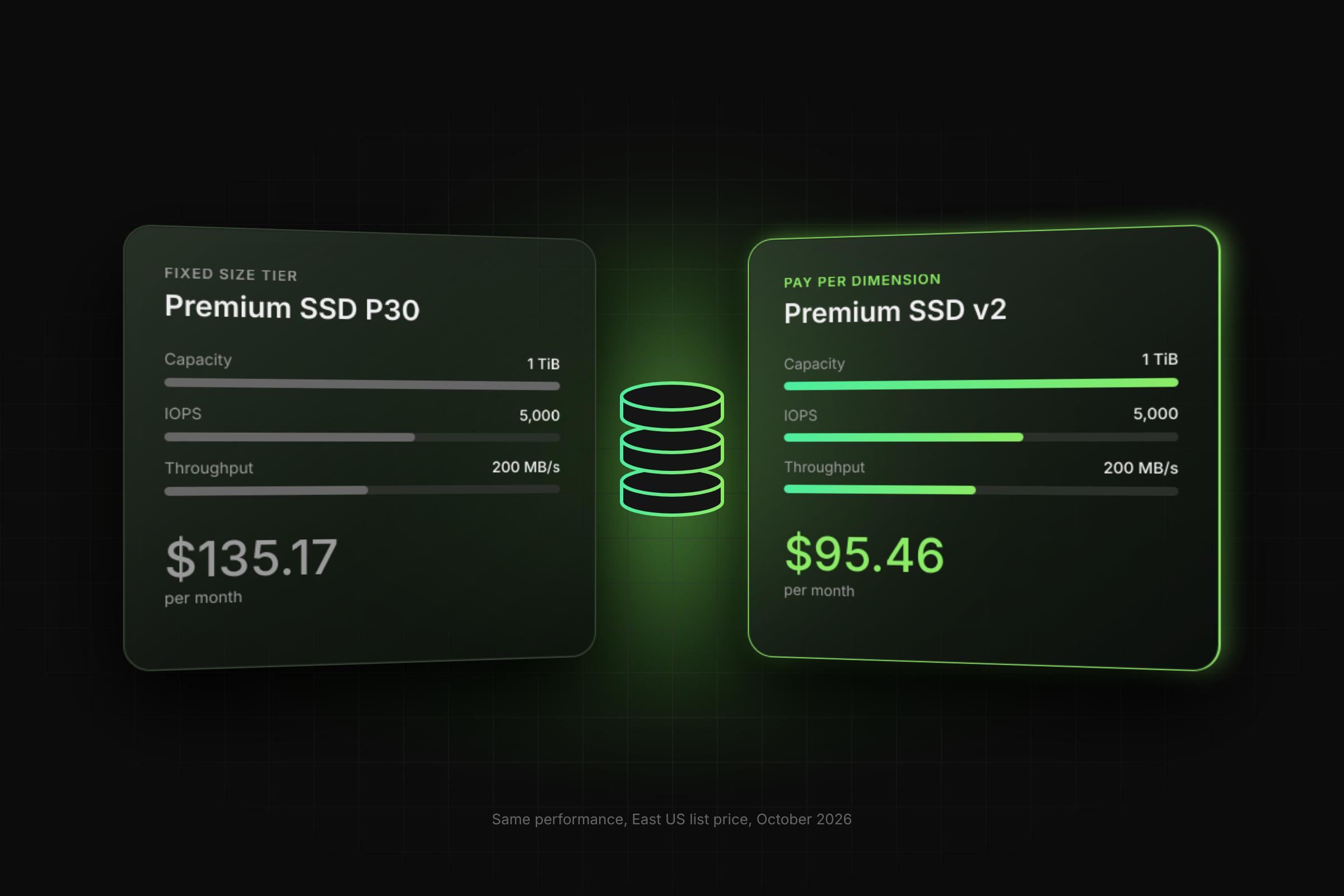
An Azure managed disk is safe to retire only when it passes six checks, in this order. Unattached disks keep billing at their provisioned tier, so one idle 1 TiB Premium SSD P30 in East US costs $135.17 per month, or $1,622.04 per year (Azure Retail Prices API).
Key Takeaways
- Unattached disks still cost money. They bill at their provisioned tier, prorated hourly, regardless of data written. One idle 1 TiB Premium SSD P30 in East US is about $135.17/month ($1,622/year).
- A disk is safe to retire when its
diskStateis Unattached,LastOwnershipUpdateTimeis older than your retention window (the post assumes 30 days), and no lock, backup, Site Recovery tag, or owner still claims it. - Filter on
diskState, not justmanagedBy. Reserved (stopped-deallocated VM) and Frozen (hibernated VM) disks still belong to a VM, so leave them alone. - Don’t delete these: disks with active SAS or upload activity,
ASR-ReplicaDisk/asrseeddisktags,CanNotDeletelocks, or backup policies. - Blank
LastOwnershipUpdateTimemeans unknown age. Confirm with the owner before acting. - Workflow: query with Azure Resource Graph, check for locks, cross-check Site Recovery vaults, check for existing snapshots, take an incremental snapshot, then delete.
- Take a snapshot first. Disk deletion is permanent. Incremental snapshots bill on used size at Standard HDD rates, so they’re cheap insurance.
- Example savings: 20 idle 1 TiB disks cost about $1,788/month ($21,455/year). With 20 safety snapshots at about $300/month, the net saving is about $1,488/month ($17,855/year).
When Does It Make Sense to Identify Azure Disks That Are Safe to Retire?
You need to identify Azure disks that are safe to retire after VM deletions, migrations or test environment teardowns. Whether a VM deletion removes a disk depends on that disk's deleteOption, set to Detach or Delete (Microsoft Learn, delete a VM and its resources). Disks set to Detach remain in the resource group and continue to incur charges until you delete them.
Managed disks are billed by provisioned size, mapped up to the nearest offered tier and prorated hourly, regardless of data written (Microsoft Learn, disk types). If you already ran a broad sweep using our guide to finding unused Azure resources, this post covers the next step: deciding which candidates you can delete without risk.
Which Disk States and Signals Make a Disk Safe to Retire?
Only Unattached disks with no remaining claims are retirement candidates. The DiskState values below come from the Disks REST API reference; the 30-day window is our stated assumption, not a Microsoft threshold.
How Do You Find and Safely Retire Unattached Azure Disks?
Query every subscription with Azure Resource Graph, check each candidate for locks and backups, snapshot it, then delete. Discovery needs only the Reader role, which can view all resources (Microsoft Learn, built-in roles). Snapshot and delete need Contributor, or Virtual Machine Contributor plus Disk Snapshot Contributor, at the disk's resource group.
Portal path: search for Disks, open the disk, confirm the state is Unattached, then select Delete (Microsoft Learn, portal guide).
Step 1. List candidates. This extends the FinOps toolkit unattached disk query with an age filter:
resources
| where type =~ 'microsoft.compute/disks'
| extend diskState = tostring(properties.diskState),
         lastOwner = todatetime(properties.LastOwnershipUpdateTime)
| where diskState == 'Unattached'
    and tags !contains 'ASR-ReplicaDisk'
    and tags !contains 'asrseeddisk'
| where isnull(lastOwner) or lastOwner < ago(30d)
| project id, name, resourceGroup, location, sku = tostring(sku.name),
          sizeGB = toint(properties.diskSizeGB), lastOwner, tags
| order by sizeGB desc
Step 2. Check each disk for locks, then cross-check Site Recovery. Tags alone are not proof: confirm in each Recovery Services vault that the disk is not part of a protected item or its replication metadata.
az lock list --resource <diskId> -o table
If a lock is returned, ask its owner before going further.
Step 3. Check for existing backup snapshots. Snapshots point to their parent disk through SourceResourceId (Microsoft Learn, incremental snapshots):
resources
| where type == 'microsoft.compute/snapshots'
| where tolower(tostring(properties.creationData.sourceResourceId)) == tolower('<diskId>')
| project id, name, resourceGroup, timeCreated = properties.timeCreated
Step 4. Take an incremental snapshot before deletion:
az snapshot create -g <rg> -n <snapshot-name> --source <diskId> --incremental true
Step 5. Delete the disk. Warning: deletion is irreversible unless a snapshot or backup exists. Microsoft states that deletions are permanent and data cannot be recovered after a disk is deleted (Microsoft Learn).
az disk delete --ids <diskId> --yes
What Does an Idle Disk Cost in Azure?
Each idle disk keeps billing at its provisioned tier. For a single 1 TiB disk at East US pay-as-you-go list prices (Azure Retail Prices API, prices as of 21 Oct 2026, USD, LRS):
Formula: annual cost = monthly tier price x 12.
Safety snapshots cost far less because incremental snapshots use Standard HDD storage and bill for used size only (Microsoft Learn). At $0.05 per GB per month (Retail Prices API, Snapshots LRS), a P30 holding 300 GB of data costs $15 a month to keep as a snapshot, against $135.17 a month to keep as a disk.
One disk is a small line item. The cost shows up across an organisation, where VM deletions, migrations and test teardowns leave disks behind in every subscription and no one owns the cleanup. Lucidity finds these disks across all your subscriptions and retires them with the same checks described above.

What Gotchas Should You Check Before Deleting Azure Disks?
Most mistakes come from trusting a single field. Check these before any bulk delete:
- LastOwnershipUpdateTime records ownership changes. Microsoft defines it as the time the disk was last attached or detached from a VM, or the time the VM it was attached to was deallocated or started (Disks REST API). It is blank for new disks until their state changes (Microsoft Learn).
- Site Recovery tags can be missing or stale. Cross-check protected items and replication metadata in each Recovery Services vault before deleting.
- An empty disk that was never attached or uploaded to has no storage allocated and incurs no disk storage charges (Microsoft Learn, billing).
- The Azure Advisor recommendation to review disks that are not attached to a VM applies no age threshold (Advisor cost reference).
- List prices exclude reservations and negotiated discounts; a separate P30 reservation meter exists in the Retail Prices API.
How Do You Verify the Disks Were Retired?
Step 6. Rerun the candidate query and confirm the deleted IDs no longer appear, then confirm each safety snapshot exists:
az disk show --ids <diskId>   # should now fail with a not-found error
az snapshot show -g <rg> -n <snapshot-name> --query "{name:name, state:provisioningState}"
Check the next invoice period in Cost Management to confirm the disk meters stopped.
See Disk Utilisation Across Every Subscription
Retiring unattached disks is one part of the picture; attached disks can also carry unused capacity. Switch on Free Insights for a read-only report of disk utilisation and savings across your Azure subscriptions, so you can see idle and underused disks side by side before deciding what to retire.
Frequently Asked Questions
Are unattached Azure managed disks still billed?
Yes. Microsoft states that disks left after a VM deletion, because their deleteOption is Detach, continue to incur charges. Managed disks bill on provisioned tier, prorated hourly, regardless of data written. The only exception documented is an empty disk that has never been attached or uploaded to, since Azure has not yet allocated its storage and charges nothing for it.
Can I recover a managed disk after deleting it?
No. Microsoft documents that deleting a managed disk is permanent and its data cannot be recovered. That is why the retirement workflow takes an incremental snapshot first. The snapshot bills on used size in Standard HDD storage, so you can keep it through a cooling-off period and restore a disk from it if an owner comes forward.
Is a Reserved disk safe to delete?
No. A Reserved disk is attached to a stopped-deallocated VM, so deleting it breaks that VM if anyone starts it again. Decide first whether the VM itself should be retired. If it should, delete or reconfigure the VM, let the disk move to Unattached, and then run the same lock, backup and snapshot checks.
How long should a disk stay unattached before deletion?
Microsoft sets no threshold, so pick a retention window that matches your change process; this post assumes 30 days. Measure it with LastOwnershipUpdateTime, which records when the disk's ownership last changed, such as an attach or detach. Treat a blank value as unknown age and confirm the disk's purpose with its owner before acting.
Does Azure Advisor find unattached disks automatically?
Yes. Advisor raises a recommendation to review disks that are not attached to a VM for microsoft.compute/disks resources. It recommends a snapshot before deletion but applies no age threshold and does not check locks or backup policies, so use it as a starting list rather than a deletion list.
Table of Contents
Sign Up