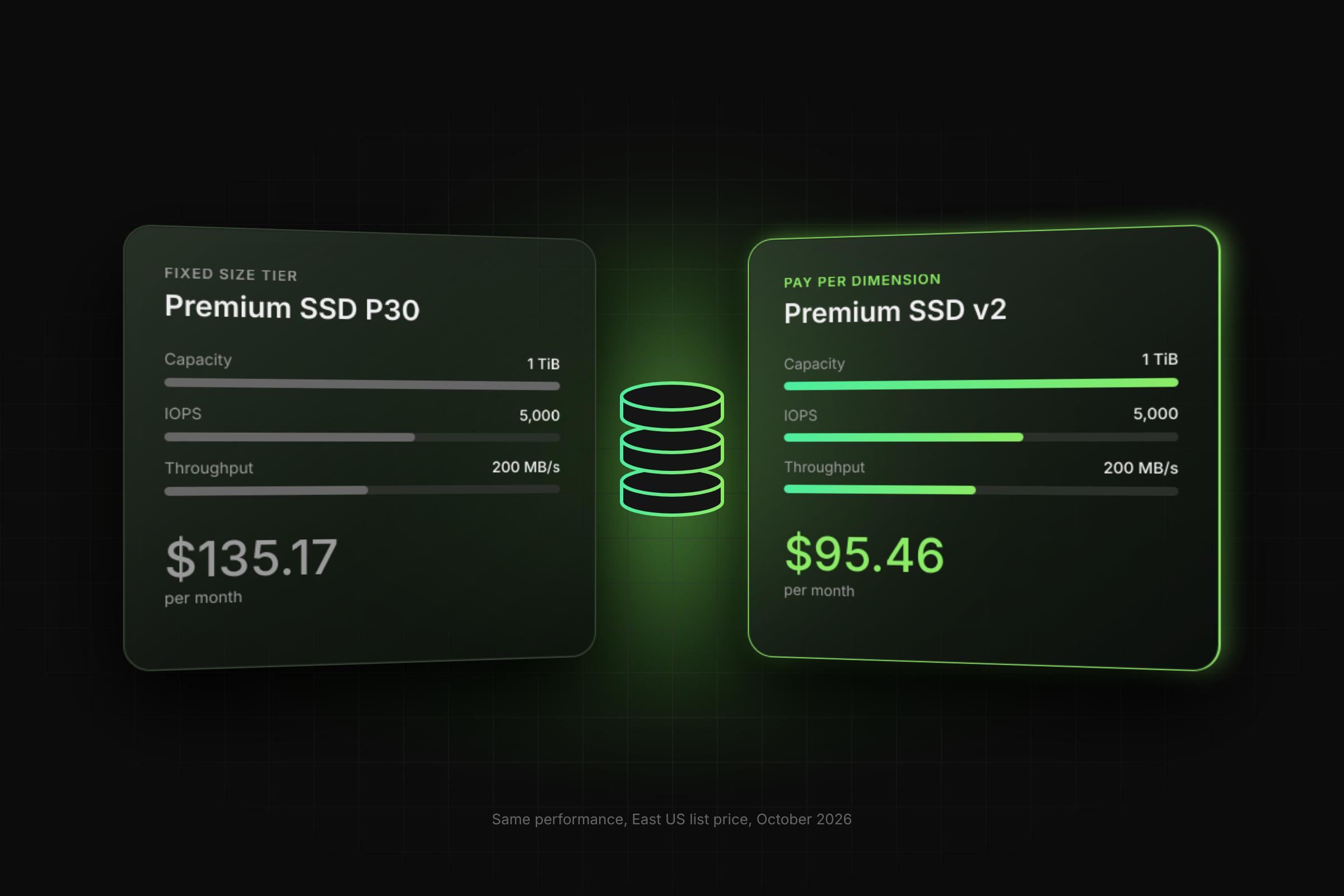
For a small database data disk that needs more IOPS than its size earns on Premium SSD, choose Premium SSD v2. A 256 GiB disk at 6,000 IOPS and 200 MB/s costs about $38.90 per month on Premium SSD v2, against $135.17 per month for the smallest Premium SSD that meets the target: a 1 TiB P30 created with performance plus. Keep Premium SSD (v1) where you need host caching, an OS disk, or a VM that is not zonal in a region that requires zonal deployment.
Key Takeaways
- Ideal for Small, High-IOPS Databases: Premium SSD v2 is the better choice for small database data disks that require high IOPS, allowing you to avoid paying for excess storage capacity just to get performance.
- Free Baseline Performance: Every Premium SSD v2 disk includes 3,000 IOPS and 125 MB/s for free at any size.
- Decoupled Pricing vs. Fixed Sizing: Traditional Premium SSD ties IOPS directly to storage size (for example, requiring a 2 TiB P40 disk to reach 6,000 baseline IOPS), whereas Premium SSD v2 lets you scale capacity, IOPS, and throughput independently.
- Flexible Performance Tuning: Premium SSD v2 allows performance adjustments up to 4 times every 24 hours without downtime.
- Feature Limitations: Premium SSD v2 does not support host caching and cannot be used as an OS disk.
- Migration Requirements: In-place conversion of an existing Premium SSD data disk to Premium SSD v2 requires a VM restart.
When Does Choosing Premium SSD v1 or v2 Matter for a Small Database?
The choice matters when your database is small in GiB but large in IOPS, such as an OLTP database of a few hundred GiB with steady transaction load. On Azure Premium SSD, IOPS come from fixed sizes: a P30 (1 TiB) gives 5,000 IOPS and a P40 (2 TiB) gives 7,500 IOPS. Disks of 513 GiB and larger can be created with performance plus, which lifts a P30 to 8,000 IOPS and 300 MB/s at no extra charge. Either way, you pay for terabytes you never fill just to buy IOPS.
Azure Premium SSD v2 decouples the three dimensions. Capacity runs from 1 GiB to 64 TiB in 1 GiB steps, IOPS go up to 80,000, and you set each value independently. Microsoft lists SQL Server, Oracle, MariaDB, Cassandra and MongoDB among its target workloads, and gives a transaction-intensive database that needs a large amount of IOPS at a small size as the example use case.
How Do Premium SSD and Premium SSD v2 Compare for a Database Disk?
Premium SSD v2 wins on cost and flexibility; Premium SSD wins on feature coverage. The table below uses the Microsoft Learn disk types page, the disk scalability targets and East US list prices.
How Do You Deploy or Switch a Database Disk to Premium SSD v2?
Create a new Premium SSD v2 data disk in the VM's zone, or convert the existing Premium SSD data disk in place during a maintenance window. Creating and attaching a new disk does not require deallocation; in-place conversion does require a VM restart, per Microsoft Learn. You need permission to write the disk and VM, for example, Virtual Machine Contributor on the resource group.
Step 1. Confirm your region and zones support Premium SSD v2 (deployment guide).
az vm list-skus --resource-type disks \
  --query "[?name=='PremiumV2_LRS'].{Region:locationInfo[0].location, Zones:locationInfo[0].zones}"
Step 2. Create the disk in the same zone as the VM.
az disk create -n sqldata01 -g rg-db --location eastus --zone 1 \
  --sku PremiumV2_LRS --size-gb 256 \
  --disk-iops-read-write 6000 --disk-mbps-read-write 200 \
  --logical-sector-size 4096
Step 3. Attach it to the running VM, then migrate data files at the database layer.
az vm disk attach -g rg-db --vm-name sqlvm01 --name sqldata01
Step 4. To convert an existing Premium SSD data disk instead, first set host caching to None on its LUN (here LUN 1) and disable on-demand bursting, then deallocate, change the SKU, and start the VM.
az vm update -g rg-db -n sqlvm01 --disk-caching 1=None
az disk update -g rg-db -n sqldata01 --enable-bursting false
az vm deallocate -g rg-db -n sqlvm01
az disk update -g rg-db -n sqldata01 --sku PremiumV2_LRS
az vm start -g rg-db -n sqlvm01
Note: conversion keeps the disk's current capacity, and Azure disks cannot be shrunk. A 1 TiB P30 converted in place becomes a 1,024 GiB Premium SSD v2 disk at about $100.57 per month (1,024 × $0.0803 + $15.33 + $3.01), not $38.90. To reach the 256 GiB price, create a new, smaller Premium SSD v2 disk (steps 2 and 3) and move the data at the database layer.
Step 5. Tune performance later without downtime.
az disk update -g rg-db -n sqldata01 \
  --disk-iops-read-write 8000 --disk-mbps-read-write 250
What Does a Small High-IOPS Database Disk Cost on Each Option?
A 256 GiB data disk at 6,000 IOPS and 200 MB/s costs $38.90 per month on Premium SSD v2 and $135.17 per month on the smallest Premium SSD that meets it. Prices come from the Azure Retail Prices API for East US, LRS, pay-as-you-go, converted at 730 hours per month.
Premium SSD v2 formula: (GiB × $0.0803) + ((IOPS minus 3,000) × $0.00511) + ((MB/s minus 125) × $0.04015)
On Premium SSD, a standard P30 (5,000 IOPS) falls short of 6,000 IOPS, and credit bursting is not available on P30 per the bursting docs. A P30 created with performance plus reaches 8,000 IOPS and 300 MB/s at the same price (P30 price). Performance plus can only be enabled when a disk is created, so an existing P30 needs a snapshot and a new disk. Without performance plus, the smallest size with 6,000 baseline IOPS is the P40 at $259.05 per month.
Prices as of 21 Oct 2026, East US, USD, Azure Retail Prices API.
The difference is $96.27 per month, or $1,155.26 per year, per disk. Even a 128 GiB disk at 3,000 IOPS costs $10.28 per month on Premium SSD v2, against $19.71 for a 500 IOPS P10.

What Are the Gotchas and Limits of Premium SSD v2?
Most issues come from features Premium SSD v2 does not support, not from performance. Check these before you commit, using the deployment guide and conversion guide.
- No host caching. Read-heavy databases that rely on ReadOnly cache lose that path and need more provisioned IOPS.
- Not an OS disk, and not usable with Azure Compute Gallery.
- In regions that support Availability Zones, Premium SSD v2 attaches only to zonal VMs; a subset of those regions also allows nonzonal disks on nonzonal VMs, with extra limits.
- Performance changes are limited to 4 per 24 hours, and disk creation counts as one.
- Conversion keeps the disk's size. To right-size, create a new smaller disk and move the data.
- Direct conversion targets 512-byte sector disks only; you cannot convert back except through snapshots.
- Disable Azure Site Recovery and switch Azure Backup to the Enhanced policy before converting; the backup snapshot after conversion is billable.
- Performance is degraded until conversion completes.
How Do You Verify the Database Disk Performs as Provisioned?
Watch Data Disk IOPS Consumed Percentage and Data Disk Bandwidth Consumed Percentage in Azure Monitor; values at 100% mean the disk limit caps your database, per the disk metrics docs. Also check VM Uncached IOPS Consumed Percentage, because the VM's own limit caps disk I/O (disk performance docs). The CLI query is case-sensitive, so use the property names exactly as shown.
az disk show -g rg-db -n sqldata01 \
  --query "{sku:sku.name, iops:diskIOPSReadWrite, mbps:diskMBpsReadWrite, convert:completionPercent}"
Find Which Database Disks to Move First
Switch on Free Insights for a read-only report of disk utilisation and savings across your Azure subscriptions. It shows which Premium SSD data disks carry capacity bought only for IOPS, so you can shortlist Premium SSD v2 candidates for your small high-IOPS databases before planning any maintenance window.
Frequently Asked Questions
Is Premium SSD v2 always cheaper than Premium SSD for a database?
Premium SSD v2 is cheaper for most data disks that need more IOPS than their size earns on Premium SSD. The 3,000 free IOPS and 125 MB/s cover many small databases at capacity cost alone, $10.28 per month for 128 GiB in East US. Costs rise with very high IOPS or MB/s settings, so price your exact configuration with the formula above.
Can I convert a Premium SSD data disk to Premium SSD v2 without downtime?
No, in-place conversion requires a VM restart, so plan it in a maintenance window. Set host caching to None, disable bursting and double encryption first. Conversion also keeps the disk's size. A zero-restart alternative that also lets you right-size is to attach a new, smaller Premium SSD v2 disk and move data at the database layer.
Can I add performance plus to an existing Premium SSD disk?
No. Performance plus can only be enabled when a disk is created, on Premium SSD disks of 513 GiB and larger. For an existing disk, take a snapshot and create a new disk from it with performance plus enabled. There is no extra charge for the feature.
Does Premium SSD v2 support credit-based bursting like P20 and smaller?
No, Premium SSD v2 has no bursting; you provision the IOPS and MB/s you need and pay for what you set. Credit-based bursting applies to Premium SSD P20 and smaller, up to 30 minutes at the burst rate. For a steady high-IOPS database, bursting is a poor fit anyway because credits deplete under sustained load.
Will Premium SSD v2 run on any VM size?
Premium SSD v2 performance is still capped by the VM's own uncached IOPS and throughput limits. Provisioning 20,000 IOPS on the disk gives no benefit if the VM size allows less, so check the VM's limits and the VM Uncached IOPS Consumed Percentage metric. In regions that support Availability Zones, Premium SSD v2 attaches only to zonal VMs, apart from a subset of regions that allow nonzonal disks (deployment guide).
Table of Contents
Sign Up