Choosing a cloud cost management tool comes down to one question: does it only show you where the bill leaks, or does it also fix the leak? We start with ten options ranked for senior engineers and how each works under the hood, then cover what drives cloud cost, how to match a tool to your bottleneck and spend tier, and how to build a strategy.
Key Takeaways
- Most cloud waste sits in a few engineering-owned places: over-provisioned block storage, idle disks, oversized compute, unused commitments, and cross-AZ or egress traffic.
- Recommendation-only tools find savings but leave execution to your team. Lucidity's published comparison claims generic FinOps tools surface about 20% of spend as savings and see roughly 5% reach the bill (a vendor claim).
- Match the tool to the bottleneck: storage (Lucidity, Zesty), commitments (Usage.ai, Flexera/ProsperOps), allocation and unit economics (CloudZero, Vantage, Finout), Kubernetes (Kubecost, CAST AI).
- Spend tier sets the stack: native tools under $25K/month, targeted automation at 25K–100K, and autonomous optimization plus FinOps governance above $100K.
Which Are the Top 10 Cloud Cost Management Tools for Engineering Teams?
- The ten tools below fall into three architectures: platforms that show where money goes, platforms that automate commitments, and platforms that change resources in production. Each solves a different engineering problem, so pick by bottleneck, not by logo count. We ranked on four criteria: savings that reach the bill, automation beyond reporting, production safety and time to value, with breadth of coverage as the tiebreaker. Lucidity publishes this guide, so treat its #1 slot as an editorial choice and use each tool's trade-offs to decide for yourself. Ratings below come from G2 and Gartner Peer Insights as of November 2026, and we flag thin review samples.
1. Lucidity
Detailed Overview
Lucidity is a cloud storage optimization platform that finds waste, checks whether a change is safe, makes the change, and verifies the result. It runs on what it calls the AI Action Engine, which works in three steps: find deeper, decide confidently, act safely. Where most FinOps tools stop at a recommendation, Lucidity's agents execute approved changes with zero downtime, either after a one-click approval or autonomously for the actions you choose.
The storage modules are the core of the product:
- Disk AutoScaler uses ML to predict each workload's capacity and performance needs, expands a disk before it fills, and shrinks it when it is over-provisioned. Lucidity says it shrinks a live disk with no downtime and no code changes, and cites average disk utilization rising from 30% to 76%.
- Disk Tiering scores every volume against 30, 60, and 90 days of IOPS, throughput, and latency, lets you simulate cost and performance, then re-tiers in bulk without downtime.
- Disk Cleanup finds reserved, unmounted, and nozero-I/O disks that native dashboards do not flag as idleconsoles do not flag as unattached, then removes them in one click. Lucidity claims up to 65% of idle disks hide from native tools.
- Object Mapping, Object Tiering, and Object Drift extend the same engine to Azure object storage, and Compute Rightsizing is listed as coming soon.
The security model is built for production trust. Lucidity is SOC 2 Type II certified, starts read-only with least-privilege access, never reads application data, and works from infrastructure metadata through cloud provider APIs. Policies set at the organization, environment, account, or tag level govern every action, with change windows, snapshots before changes, skip tags, post-change verification, and a reversible audit log. It supports AWS, Azure, and Google Cloud, and EKS volumes for AutoScaler.
The ideal fit is a team running stateful or data-heavy workloads where block storage is a large line item and nobody wants to schedule manual volume migrations. Lucidity's published figures describe generic FinOps tools finding about 20% of spend and delivering about 5%, against roughly 40% found and 25% delivered for its agents. These are vendor claims, so validate them with the free read-only assessment, which connects in about 15 minutes.
Overall Rating
4.8/5 on Gartner Peer Insights for Lucidity AutoScaler, based on 5 ratings (Lucidity overall: 4.6 across 8 reviews and three products). Lucidity's G2 listing has no reviews yet, so the sample is small and you should weigh it accordingly.
Pros
- Shrinks and expands live block storage, closing the gap AWS documents for EBS, where volume size can only increase.
- Includes execution, not just advice, with approval gates, policy checks, snapshots, post-change verification, and rollback.
- Idle-disk detection goes beyond unattached volumes to reserved, unmounted, and zero-I/O disks.
- Covers AWS, Azure, and Google Cloud plus EKS, with SOC 2 Type II and no access to application data.
- Customers report real outcomes: Dometic cites a 52% reduction in cloud storage spend, and Iron Mountain describes freeing the time its team spent provisioning block storage.
Cons
- Scope is storage today. Compute rightsizing is not yet shipped, and it is not a chargeback or unit-economics platform.
- AutoScaler runs a lightweight host agent (Lucidity's FAQ cites roughly 2% CPU and 200MB RAM), which your security team will want to review.
- Savings scale with block storage footprint, so estates with little provisioned storage see less.
- Performance and savings figures are vendor-published, and independent public reviews are still few.
Pricing
Pricing is not available in public; it is available only after a consultation with the team.

2. Vantage
Detailed Overview
Vantage is a developer-oriented cost visibility platform that pulls cloud, SaaS, and Kubernetes spend into one set of reports. It sits at the visibility layer: it ingests billing data from AWS, Azure, GCP, and many SaaS vendors, then gives you cost reports, budgets, virtual tagging, anomaly alerts, and an API and Terraform provider so cost reporting can live in code. Its optimization surface is narrower, with Autopilot, which buys AWS Savings Plans for EC2 on your behalf and is priced at 5% of savings.
It works passively. Vantage reads billing and usage data and recommends; it does not resize volumes or change workloads. That makes it a low-risk first tool, since the setup is read-only, but your engineers still own every fix.
The ideal engineering use case is a startup or mid-size team that wants one multi-cloud view quickly without enterprise onboarding. One independent comparison calls its interface the most intuitive in the category, but notes its commitment optimization is less sophisticated than dedicated tools like ProsperOps or Zesty.
Overall Rating
4.7/5 on G2, based on roughly 70 reviews (G2 page updated August 2026).
Pros
- Reviewers value detailed cost insights (21 mentions) and centralized data across providers (12 mentions).
- Quick setup with major clouds, with 20-plus native integrations including Datadog, Snowflake, and Kubernetes.
- Developer-friendly API and Terraform support for FinOps as code.
- Transparent flat-rate pricing with a free tier.
Cons
- Visibility-first: recommendations still turn into tickets for your team.
- Some reviewers (4) find cost jumps sharply once you pass the free threshold, and others cite limited customization and missing features.
- Commitment automation covers AWS EC2 Savings Plans only, and ranks below specialists in independent comparisons.
- Kubernetes reporting is solid but less deep than a dedicated tool.
Pricing
Vantage publishes four tiers, gated by tracked cloud spend: Starter is free (up to $2,500 of tracked spend), Pro is $30/month (up to $7,500), Business is $200/month (up to $20,000), and Enterprise is custom with unlimited tracked spend. Autopilot is charged at 5% of savings. Enterprise pricing is not available in public; it is available only after a consultation with the team.

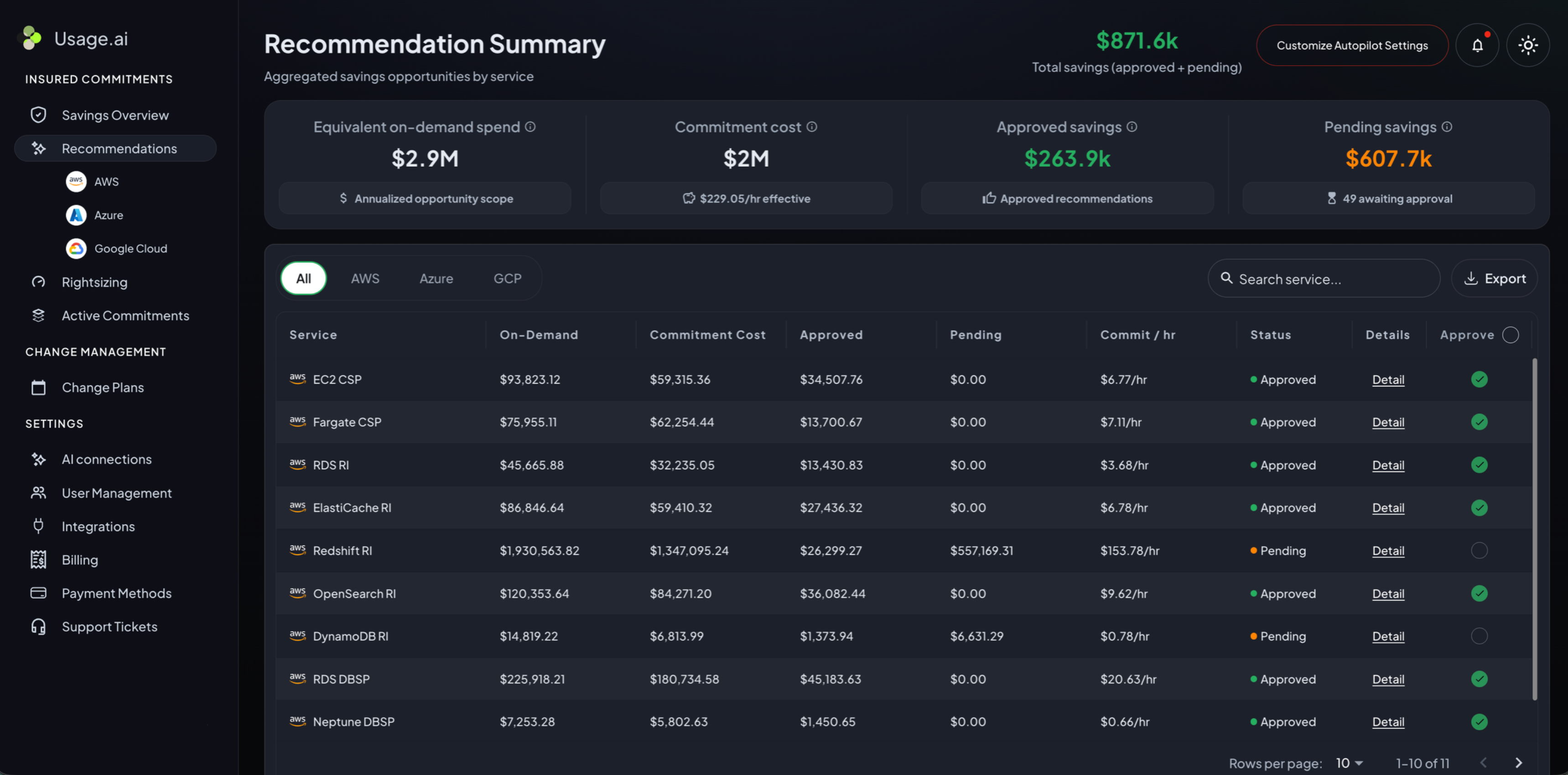
3. Usage.ai
Detailed Overview
Usage.ai is an automated cloud commitment management platform that helps businesses reduce AWS, Azure, and Google Cloud costs by optimizing Reserved Instances, Savings Plans, and eligible cloud commitments. It helps companies achieve 30–50% savings on eligible On-Demand spend without requiring infrastructure changes or manual commitment management.
Usage.ai offers Flex Insured Commitments, which combine automated commitment purchasing with Cashback protection against eligible underutilization. The platform offers two automation modes: Autopilot, which automatically purchases commitments within predefined controls, and Copilot, which lets teams review and approve recommendations before purchasing. Usage.ai operates at the billing and purchasing layer, so it does not resize instances, modify workloads, or disrupt running applications.
The ideal fit is a FinOps or engineering team with significant cloud compute and database spending that wants to maximize commitment discounts, reduce manual management, and protect against unexpected usage changes.
Overall Rating
4.8/5 rating on G2, based on 10 customer reviews. Although its limited review volume means prospective buyers should also evaluate its savings analysis and platform capabilities.
Pros
- Automates cloud commitment optimization, targeting 30–50% savings on eligible On-Demand spend.
- Cashback protection helps reduce financial risk from qualifying underutilized Flex Insured Commitments.
- Supports AWS, Azure, and GCP commitments, including eligible compute and database services.
- Offers Autopilot and Copilot modes for automated or approval-based commitment purchasing.
- Operates without infrastructure changes, application downtime, or workload modifications.
Cons
- Specializes in commitment management rather than storage optimization, and container cost management needs.
- Protection does not automatically apply to commitments you bought before onboarding.
- Cashback is subject to program terms, so read the reconciliation and payout rules closely.
- Best suited for businesses looking to optimize cloud discounts rather than replace their broader FinOps platform.
Pricing
Usage.ai offers a Free Plan for businesses spending under $200,000 per month on cloud infrastructure, with automated commitment optimization at no platform fee. For businesses spending $200,000 or more monthly, its Managed Optimization plan charges a percentage of applicable realized savings, with no upfront fees or charges on savings from existing commitments. A free, read-only Savings Test is also available to assess potential savings before onboarding.
4. CloudZero
Detailed Overview
CloudZero is a cost intelligence platform that attributes spend to customers, features, teams, and products. It targets the allocation layer: it ingests billing data and maps cost to business dimensions even when tagging is incomplete, so unit economics (cost per customer, cost per feature) become a number engineering and finance can both read. One G2 reviewer describes tracking unit economics without perfect tagging, which is the usual failure point of tag-based allocation.
It is a passive, visibility-first tool. CloudZero surfaces anomalies, allocations, and recommendations, but it does not execute changes in your environment. Third-party comparisons position it as cost intelligence rather than direct optimization, and G2 reviewers score its recommendations feature lower than its spend tracking.
The ideal engineering use case is a SaaS company that needs to prove gross margin by customer or feature, or to answer "is this growth profitable?" before pricing and architecture decisions.
Overall Rating
4.6/5 on G2, based on roughly 64 reviews. G2's pricing insights put average time to implement at about two months.
Pros
- Strong cost management visibility (12 reviewer mentions) and responsive support (9).
- Allocates spend by customer, feature, or team, including untagged spend.
- Anomaly detection that reviewers call out as useful for catching surprises early.
- Subscription pricing that is not a percentage of your cloud bill, which one enterprise reviewer highlights.
Cons
- No execution layer, so savings depend on your team acting on the findings.
- Reviewers cite dashboard issues and limited customization (3 each), plus slow performance and a noisy alert system (2 each).
- Setup takes longer than lightweight tools, with a reported average of about two months.
- Value concentrates in allocation and unit economics, so it is less useful if you only need simple dashboards.
Pricing
Pricing is not available in public; it is available only after a consultation with the team.

5. Zesty
Detailed Overview
Zesty is an automation platform with three modules aimed at different cost levers: Zesty Disk for block storage, Kompass for Kubernetes, and Commitment Manager for discount instruments. Zesty Disk auto-scales EBS volumes up and down in real time using ML to predict usage, and Zesty says only metadata and usage metrics are collected, with no access to data on the disk or instance. Kompass handles continuous pod rightsizing, node-level efficiency, and persistent volume scaling. Commitment Manager automates discount plans for EC2 and RDS.
This is active automation rather than reporting, so Zesty belongs with Lucidity and CAST AI in the "changes production for you" category. Its published materials center on AWS, with Kubernetes support on top, so confirm coverage for your Azure and GCP estate before shortlisting.
The ideal engineering use case is an AWS-heavy team that wants storage, Kubernetes, and commitments handled by one vendor. Zesty and Lucidity compete directly on EBS, so run both against the same accounts if storage is your main cost.
Overall Rating
4.8/5 on G2, based on 80 reviews, with a 9.4 ease-of-use score in G2's comparison data.
Pros
- Covers three levers (storage, Kubernetes, commitments) in one product family.
- Reviewers describe low effort and responsive Slack support, with regular savings review meetings.
- Spike protection and maximum-size controls give guardrails during automated scaling.
- Commitment Manager uses a success-based model.
Cons
- Modular pricing means covering all three levers can require several products, and the combined cost can look different than any single price.
- Published materials are AWS-centric, which limits multi-cloud teams.
- One reviewer found the renewal process awkward, possibly tied to buying through AWS Marketplace.
- Pricing detail is only partly public.
Pricing
Zesty uses usage-based tiers for Disk (by managed volume), usage-based fees for Kompass, and a savings share for Commitment Manager. A third-party summary of Zesty's pricing page reports a $500 monthly base plus $5 per managed vCPU for Kompass, so verify that with Zesty. G2 lists the Kompass entry plan as "Contact Us." Pricing is not available in public; it is available only after a consultation with the team.

6. Flexera (including ProsperOps)
Detailed Overview
Flexera is an enterprise technology spend platform that now pairs broad FinOps governance with autonomous execution. Flexera One handles cloud billing ingestion, allocation, reporting, budgets, and policy-based governance, and connects cloud spend with software licensing and hybrid assets. In January 2026 Flexera acquired ProsperOps and Chaos Genius, and it had earlier completed its acquisition of the Spot FinOps business from NetApp, covering Spot Eco, Spot Ocean, Elastigroup, and CloudCheckr. ProsperOps keeps its own brand and, per Flexera, automates commitment management across AWS, Azure, and Google Cloud.
Architecturally, the portfolio spans three modes: passive visibility (Flexera One), policy automation, and autonomous optimization (ProsperOps for commitments, Spot products for compute and Kubernetes). Flexera's CEO has framed the strategy as moving from dashboards to execution, per Thoma Bravo's announcement.
The ideal use case is a large or hybrid enterprise with a FinOps team that needs chargeback, governance, and licensing context in one place, and wants commitment automation under the same vendor.
Overall Rating
Flexera One: 4.3/5 on G2 across 120-plus reviews (the count varies by page and date, and the profile spans several product categories). ProsperOps: 4.7/5 on G2 across 21 reviews, with most giving five stars.
Pros
- Breadth: cost visibility, governance, licensing context, and autonomous commitments under one vendor.
- Flexera One reviewers praise ease of use (54 mentions) and features (47 mentions).
- ProsperOps automates RI and Savings Plan management with outcome-based pricing.
- Suits multi-cloud and hybrid environments with formal FinOps programs.
Cons
- Reviewers cite complexity (37 mentions) and a difficult learning curve (35 mentions).
- Heavy for small teams, and several acquired products are still being integrated, so packaging may change.
- Practitioners may need a separate evaluation of ProsperOps because it overlaps directly with Usage.ai.
- Review volume for ProsperOps is modest.
Pricing
Flexera One pricing is not available in public it is available only after a consultation with the team. ProsperOps charges a percentage of the savings it delivers, and its rate card is not published, so the same applies: pricing is not available in public it is available only after a consultation with the team.
7. Finout
Detailed Overview
Finout is a FinOps platform built around two ideas: MegaBill and Virtual Tags. MegaBill merges AWS, Azure, GCP, Kubernetes, and SaaS billing such as Datadog, Snowflake, and Databricks into one normalized view. Virtual Tags then let you allocate cost to a team, environment, or product without first running a tagging cleanup project or changing infrastructure tags.
It operates at the visibility and allocation layer. Finout reads billing and usage data, reconciles it, and presents shared-cost reallocation, budgets, and anomaly alerts. It does not execute infrastructure changes, so optimization still routes through your engineers.
The ideal use case is a multi-cloud, Kubernetes-heavy organization where shared cluster costs are impossible to split by team. One G2 reviewer says Finout solves the hard problem of attributing Kubernetes spend, where breaking shared cluster costs across teams was nearly impossible before.
Overall Rating
4.5/5 on G2, based on about 70 reviews.
Pros
- Ease of use (8 reviewer mentions) and quick setup.
- Flexible virtual tagging that simplifies cross-cloud allocation (4 mentions).
- Unified view across clouds, Kubernetes, and SaaS, with strong customer support cited by reviewers.
- Reviewers report cost reductions after surfacing waste they could not see before.
Cons
- Complexity of setup and advanced features, flagged by several reviewers (3).
- Slow performance loading reports and dashboards (3 mentions).
- Reviewers also cite missing features and a steep learning curve.
- Third-party trackers report a 25% surcharge for Kubernetes support on lower tiers, so confirm tier scope.
Pricing
Finout offers Business, Pro, and Enterprise tiers by number of cost centers. Pricing is not available in public; it is available only after a consultation with the team. G2 lists the Business plan as starting at $1,000 per month for smaller spend, so treat that as an indicative figure and confirm with Finout.
8. Kubecost
Detailed Overview
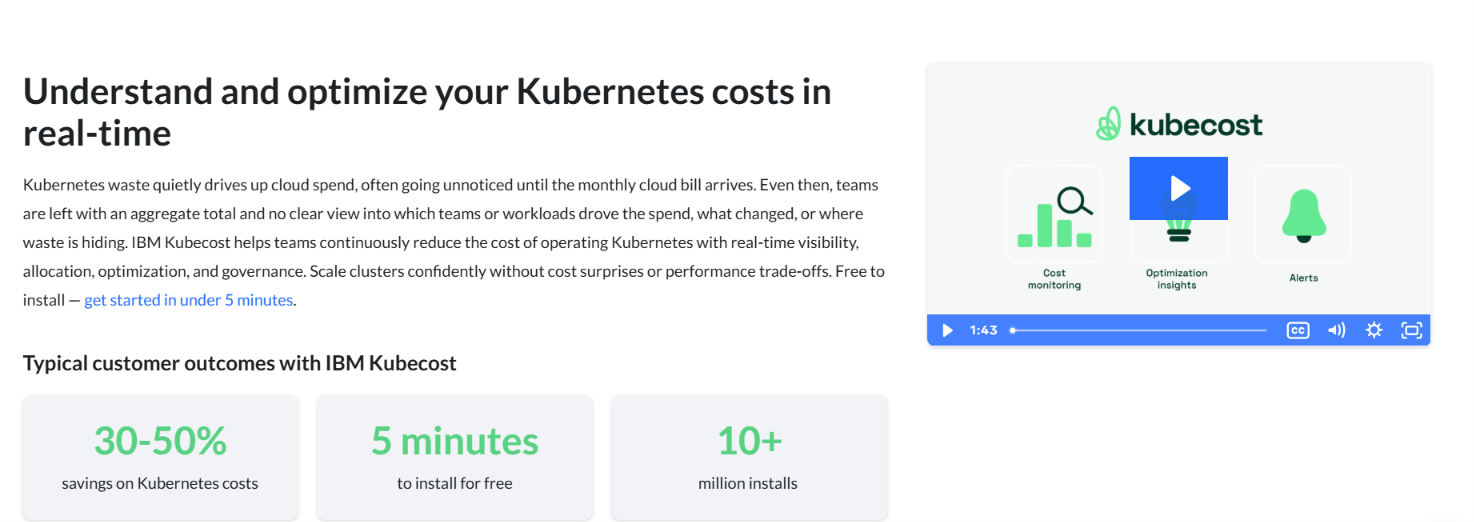
Kubecost, now part of IBM, is a Kubernetes cost monitoring tool that allocates spend to namespaces, deployments, pods, containers, and labels. It runs as an in-cluster agent with roots in the open-source OpenCost project, so it sees the pod-level resource requests and usage that cloud billing exports cannot. That makes it the standard answer to a specific problem: nodes are shared, so the bill cannot tell you which team's workload caused the cost.
It is passive visibility. Kubecost reports allocation, efficiency, and rightsizing guidance, but your team applies the changes, and it covers only what runs in the cluster. Spend outside Kubernetes, such as managed databases or block storage not backing a PVC, needs another tool. IBM is integrating it with the Apptio and Cloudability suite.
The ideal use case is a platform team that needs showback or chargeback by namespace or label, or wants to establish a cost baseline before deciding whether to buy automation like CAST AI.
Overall Rating
5.0/5 on G2, but from only 2 reviews, which is too few to rely on. Capterra shows no reviews, and TrustRadius shows about 7.7/10 across 16 reviews. Treat the open-source community and your own pilot as better evidence.
Pros
- Kubernetes-native accuracy, with namespace-, pod-, and container-level attribution.
- A permanently free tier covers clusters up to 250 cores.
- Open-source lineage via OpenCost lowers lock-in concerns.
- Useful for building a showback model before spending on automation.
Cons
- Kubernetes only, so it does not address the rest of the bill.
- Visibility only: no automated rightsizing or execution.
- In-cluster agent adds operational overhead to deploy and maintain.
- Enterprise pricing is sales-led, and teams report it getting steeper since the IBM acquisition.
Pricing
The Foundations tier is free for clusters up to 250 cores. Enterprise Self-Hosted and Enterprise Cloud are custom. Enterprise pricing is not available in public; it is available only after a consultation with the team.
9. CAST AI
Detailed Overview
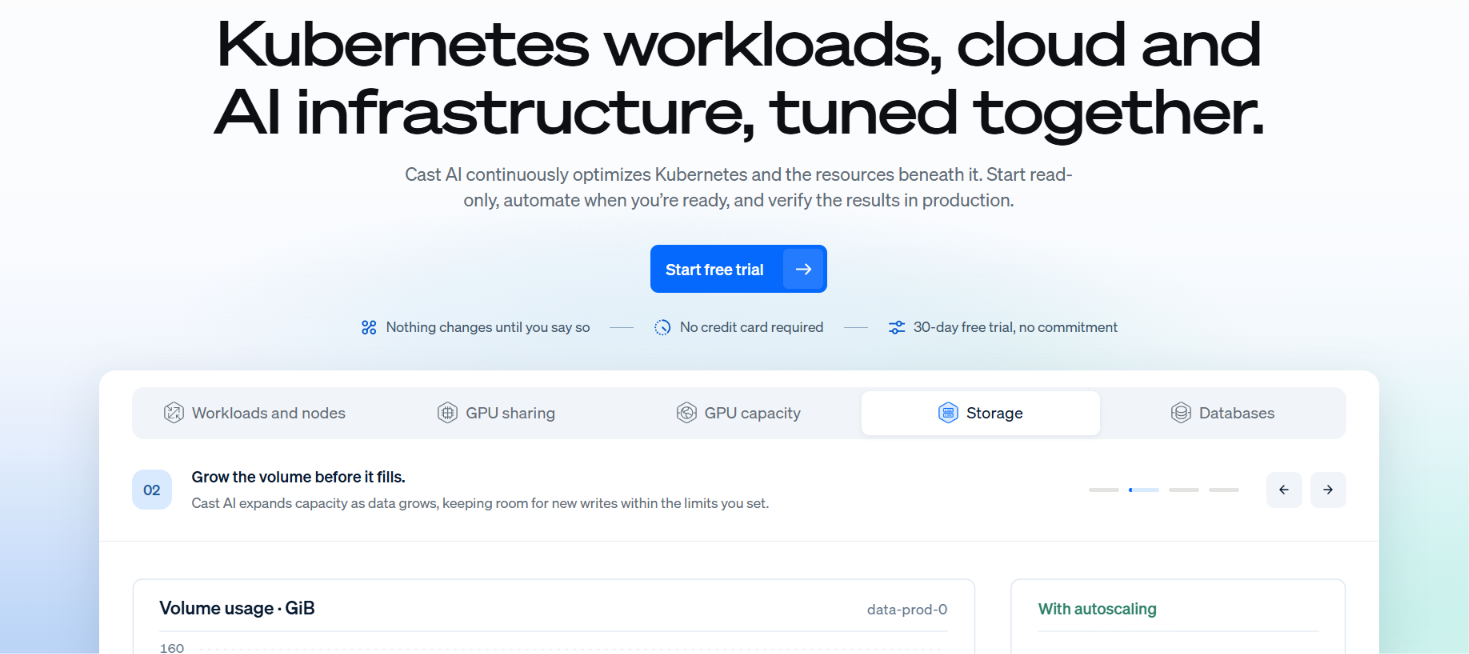
CAST AI is a Kubernetes automation platform that replaces recommendations with automated action. It acts as an autoscaler with real-time rightsizing, bin packing, and instance pricing arbitrage, including spot management on AWS, and it has a read-only monitoring mode that shows projected savings before you enable automation. Its workload and node optimization run through separate automation paths.
This is the autonomous end of the Kubernetes category. Third-party comparisons note that it replaces the native Cluster Autoscaler or Karpenter rather than running alongside them, and that automation needs cloud write permissions, which is the IAM trade-off to review with security. The free monitoring tier is the safe way to start: you can validate savings estimates before granting write access.
The ideal use case is a Kubernetes-heavy team with large, dynamic clusters that wants hands-free node and workload optimization and has the policy discipline to test in non-production first.
Overall Rating
4.6/5 on G2, based on about 193 reviews (G2 page updated July 2026).
Pros
- Strong automation (37 mentions) and easy setup (35), with reviewers citing savings up to 60% (32 mentions).
- Free read-only monitoring tier exposes savings before you commit.
- Cost recommendations (40 mentions) alongside execution, not instead of it.
- Large review base gives more confidence than most tools in this list.
Cons
- Reviewers find pricing high for small clusters (12 mentions) and want clearer cost reporting (10).
- Automation needs write permissions and replaces native autoscaling, which widens the IAM and change-management footprint.
- Stateful workload automation requires careful policy tuning, according to Gartner reviews cited by third-party comparisons.
- Platform fees can erode net savings on small or static clusters.
Pricing
CAST AI offers a free Kubernetes cost monitoring tier. Its AWS Marketplace listing shows managed-optimization tiers starting at $1,000 per month for Growth and $5,000 per month for Enterprise, plus a per-CPU hourly charge of $0.00694444 for managed CPUs. Custom quotes are handled through sales. Pricing is not available in public; it is available only after a consultation with the team.
10. nOps
Detailed Overview
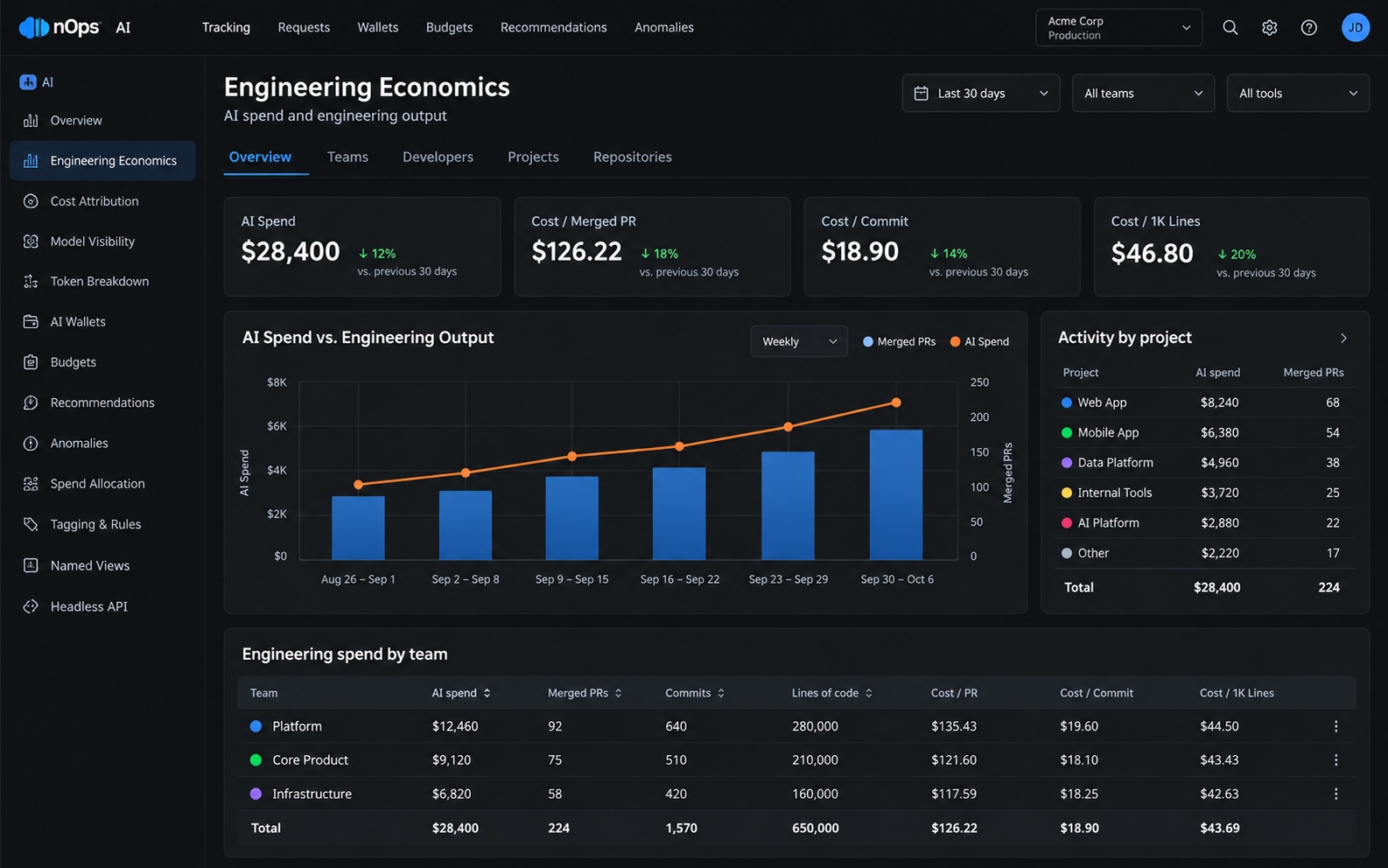
nOps is an AWS-first FinOps platform that combines cost visibility and allocation with automated commitment management and cleanup of waste. Its commitment engine layers Savings Plans and Reserved Instances incrementally and rebalances as usage changes, rather than relying on large, infrequent purchases. nOps lists commitment management for AWS, GCP, and Azure, although its strongest customer evidence is on AWS, and it also covers compute and Kubernetes optimization.
It is a hybrid: the visibility and allocation features are passive, while commitment management is active and purchases on your behalf. Review the savings baseline and how the fee is calculated before signing, because share-of-savings pricing only works in your favor when savings are incremental.
The ideal use case is an AWS-heavy team that wants one vendor for visibility, commitments, and cleanup, with a 14-day trial and AWS Marketplace purchasing to simplify procurement.
Overall Rating
4.8/5 on G2, based on roughly 138 reviews. Capterra shows about 4.6/5 across 52 reviews, per a third-party aggregator.
Pros
- Reviewers highlight savings and no upfront cost for commitment management.
- Combines visibility, commitments, and cleanup, which reduces tool sprawl.
- Large, consistent review base on G2.
- Free savings analysis and a 14-day trial lower evaluation risk.
Cons
- Strongest on AWS, so multi-cloud estates should verify GCP and Azure depth.
- Reviewers mention occasional complexity and dashboard issues, and one AWS Marketplace reviewer raised a security concern, so run a security review.
- Share-of-savings fees require you to scrutinize the savings attribution and the exit terms.
- Percentage and fixed fees are not fully public.
Pricing
nOps charges a share of realized savings. Pricing is not available in public it is available only after a consultation with the team.
Introduction to Cloud Cost Management: Why Bills Spiral and Why It's Hard
Cloud cost management is the practice of measuring, allocating, and reducing infrastructure spend without degrading reliability. A good cloud cost management tool does more than chart the bill: it ties each dollar to a workload and, ideally, helps you change that workload safely. The need is real. Flexera's 2026 State of the Cloud Report puts respondents' estimated waste at 29% of IaaS and PaaS spend, the first increase in five years.
What Drives Cloud Costs Up in the First Place?
Cloud spend balloons because the resources that are easy to grow are hard to shrink. Five drivers account for most of the bloat:
- Over-provisioned block storage. EBS and Azure managed disks expand on demand but never contract on their own, so teams size volumes "just in case." Lucidity's assessments report roughly 30% average disk utilization, which is a vendor figure, but it matches what most platform teams see in their own fleets.
- Idle and unattached volumes. Volumes outlive the instances they served. Lucidity claims up to 65% of idle disks hide from native tooling because they are reserved, unmounted, or at zero I/O rather than simply unattached.
- Over-allocated compute and Kubernetes nodes. Requests and limits set well above p95 usage leave node pools half empty.
- Commitment lock-in. One- and three-year Savings Plans and Reserved Instances save money until a migration or architecture change strands them.
- Cross-AZ and egress traffic. Chatty services spread across availability zones pay per GB, and nobody sees the line item until it is large.
Why Is Cloud Cost Management Hard for Engineering Teams?
Cloud cost management is hard because the fix for each driver is an engineering task with production risk. Three problems repeat across teams:
- Shrinking is manual and risky. AWS documents that you can increase an EBS volume's size but not decrease it. The sanctioned path is to create a smaller volume and migrate data with a tool like rsync, which means snapshots, a change window, and a cutover plan.
- Recommendations become backlog debt. A dashboard that lists 400 rightsizing candidates produces 400 tickets. Lucidity's own framing of why recommendations die is useful here: missing workload context, no evidence a change is safe, real engineering effort, and outage risk. Engineers rationally do nothing.
- Finance dashboards lack workload context. The bill says "block storage, $96K." It does not say that one volume backs a SQL Server whose IOPS p95 is 410 against 7,500 provisioned. Without that, nobody can approve a change with confidence.
What Is a Cloud Cost Management Tool and Why Is It Even Necessary?
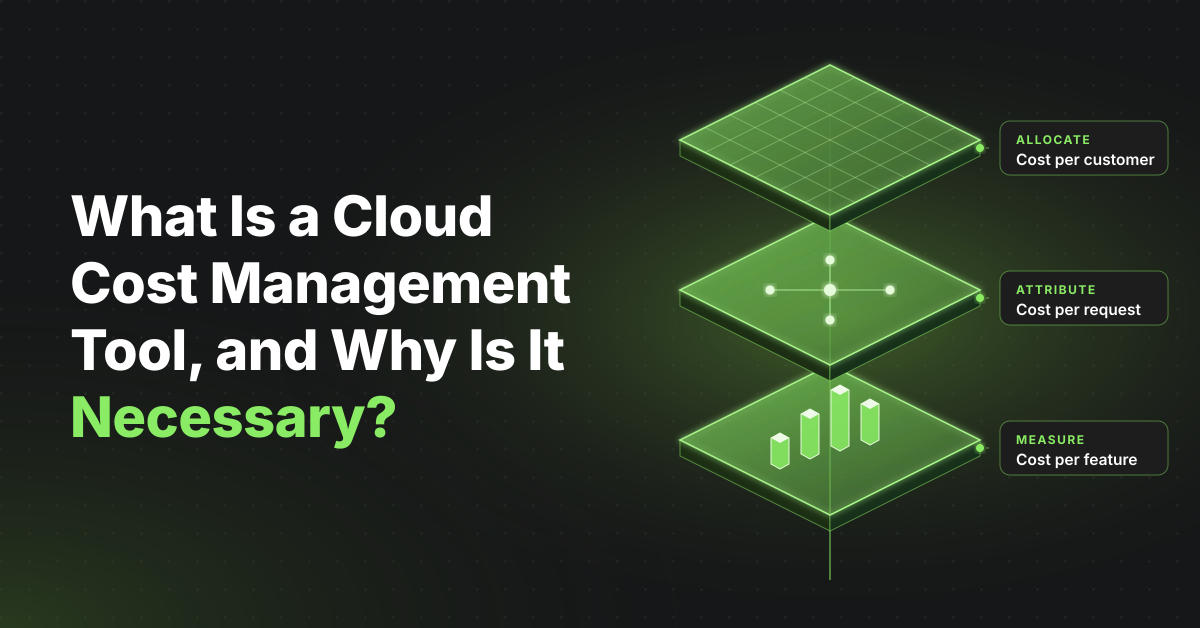
A cloud cost management tool is software that ingests billing and usage data, attributes spend to owners, and surfaces or executes changes that lower it. The best ones also tie cost to a business metric, so you can see cost per customer, per request, or per feature rather than just a monthly total.
Senior engineering organizations need continuous cost governance for three reasons:
- Gross margin. For a SaaS company, infrastructure is cost of goods sold. A drifting bill shows up directly in margin, and Flexera's 2026 State of the Cloud Report reports estimated waste rising to 29% of IaaS and PaaS spend.
- Unit economics. Without allocation, nobody can say whether a feature or customer is profitable, which makes pricing and architecture decisions guesses.
- FinOps fire drills. Quarter-end cost reviews pull senior engineers off roadmap work to explain a bill they did not see coming. Continuous governance replaces those drills with guardrails.
The need is increasing as AI workloads make usage harder to forecast. Flexera links the 2026 uptick in waste to AI and new pricing models, so a one-time cleanup does not stay cleaned.
What Are the Benefits of Cloud Cost Management?
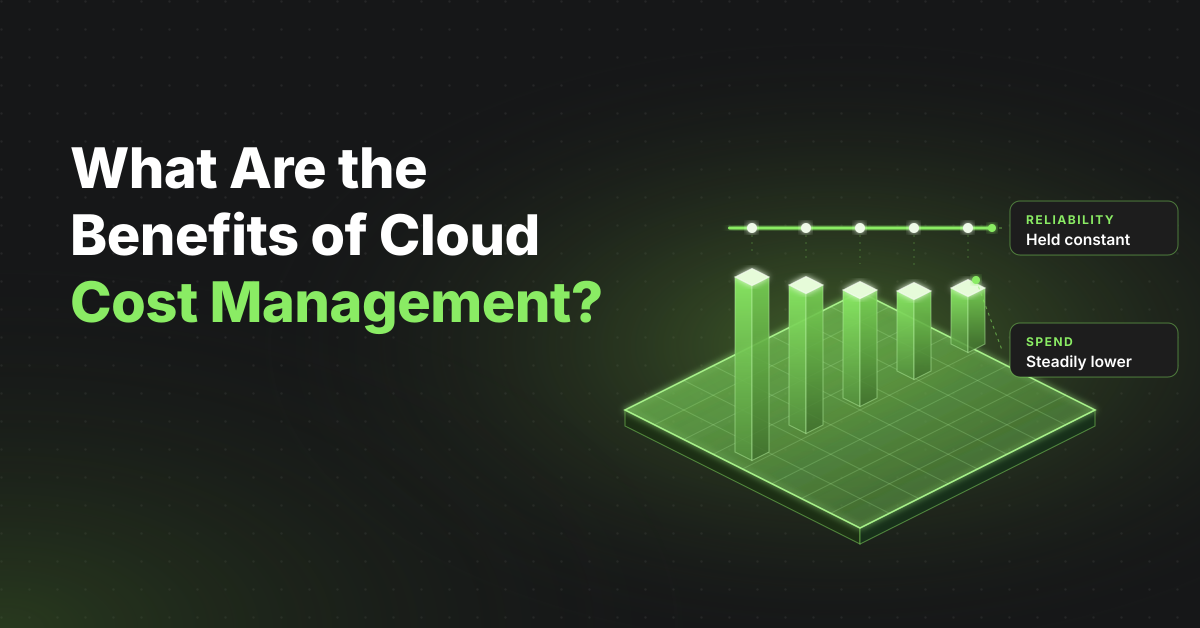
The main benefit is lower spend without lower reliability, and the engineering benefits are as concrete as the financial ones. Five outcomes matter most to senior teams:
- Idle storage and compute waste disappears without manual cleanup. Autonomous tools remove unattached, reserved, unmounted, and zero-I/O disks and shrink over-provisioned volumes, so waste stops accumulating between audits.
- Senior engineers get time back. Every rightsizing ticket you automate is a change window, a snapshot plan, and a cutover you no longer own. Iron Mountain, a Lucidity customer, describes freeing the hours its team spent provisioning block storage.
- Forecasts become predictable. Allocation, budgets, and anomaly alerts turn surprises into early warnings, and commitment automation keeps coverage aligned with real usage.
- Spend tracks performance needs. Tiering against 30 to 90 days of IOPS, throughput, and latency puts each workload on the cheapest tier that still meets its SLOs, instead of defaulting everything to premium.
- Cost becomes a design input. With cost per customer or feature visible, architecture reviews can weigh cost alongside latency and availability.
Outcomes vary by estate. Dometic reports a 52% reduction in cloud storage spend with Lucidity, which is a customer-reported figure for one environment, not a benchmark you should expect to replicate.
What Key Features Should a Cloud Cost Management Platform Have?
Every credible cloud cost management platform should cover six baseline features, and the questions that expose weak implementations matter more than the checklist itself. Treat these as table stakes, then use the next section to separate the leaders.
If a vendor cannot explain how it handles untagged spend, assume your allocation will be wrong where it matters most. Tagging hygiene fails in every large organization, so allocation that depends on perfect tags is a liability, not a feature.
Which Core Capabilities Separate the Best Cloud Cost Optimization Tools?
The capability that separates the best cloud cost optimization tool from the rest is whether it executes changes safely or only recommends them. Five differentiators matter to senior engineers:
- Autonomous execution versus passive recommendations. Recommendation-only tools create ticket backlogs, because each finding needs context, evidence, effort, and risk sign-off. Execution tools carry that burden themselves, within approvals and policies you set.
- Zero-downtime live scaling for stateful block storage. Expanding a volume is routine, but AWS documents that EBS volume size cannot be decreased, and its recommended path is a new smaller volume plus a data migration. Ask each vendor how it shrinks a live partition, and what happens to I/O during the operation.
- Commitment automation with downside protection. Look for hourly or daily rebalancing, approval options, and clear terms on what happens when usage drops.
- Kubernetes container-level visibility. Nodes are shared, so billing data cannot attribute cost to a team. You need pod and namespace allocation.
- Low-friction security and IAM. Prefer read-only onboarding, least-privilege roles, no access to application data, and an audit trail for every write action.
How Do You Match a Cloud Cost Management Tool to Your Cost Problem?
Match the tool to the infrastructure bottleneck that dominates your bill, because no single product is strongest on every layer. Start with your top two cost drivers from the bill, then use the table below.
Most teams have two bottlenecks, not one. A common pairing is an allocation tool for visibility with a specialist for the largest automated lever, such as commitments or block storage. Because storage and commitments hit different line items, they do not overlap, so adding both rarely duplicates savings.
How Do You Match a Cloud Cost Management Tool to Your Monthly Spend?
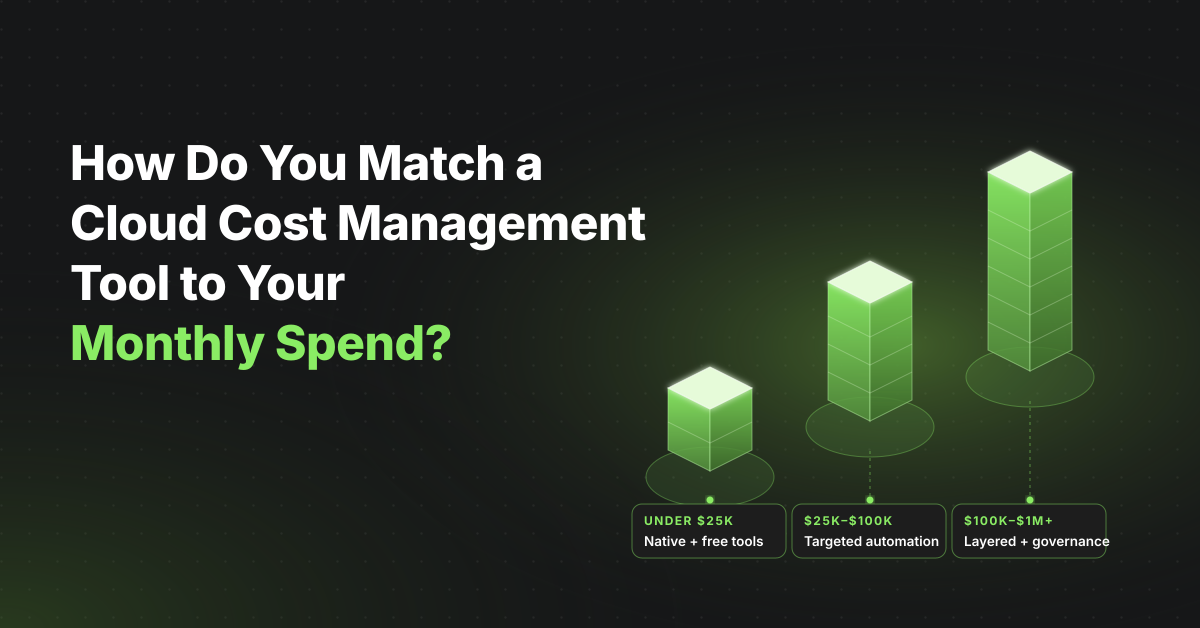
Your monthly cloud spend decides how much tooling is worth paying for, because a tool must save more than it costs in fees and engineering time. Use three tiers as a starting point and adjust for your workload mix.
Under $25K per month: what should you use?
Stick to native tools and free tiers. Use AWS Cost Explorer, Budgets, and Cost Anomaly Detection, Azure Cost Management, and GCP billing reports for visibility. Add free options when you need more, such as Vantage Starter (free up to $2,500 of tracked spend), Kubecost's free tier for clusters up to 250 cores, CAST AI's free monitoring tier, and Lucidity's free read-only assessment to size block storage waste before you commit to anything.
$25K to $100K per month: which tools add the most?
Add targeted, high-ROI automation alongside foundational visibility. If steady compute and database spend dominates, evaluate commitment automation such as Usage.ai, ProsperOps, or nOps. If block storage is a large share of the bill, evaluate Lucidity or Zesty. Pair either with a visibility layer such as Vantage or Finout so you can see the effect.
$100K to $1M+ per month: how should you combine tools?
Layer specialized autonomous optimization with enterprise visibility and governance. Run autonomous storage optimization such as Lucidity across a large block-storage footprint, commitment automation for compute, Kubernetes automation where clusters are large, and an allocation and chargeback platform such as CloudZero, Flexera, or Finout for governance. At this scale, anomaly detection and showback stop being optional because small percentage drift is large money.
How Do You Build a Cloud Cost Management Strategy in 2027?
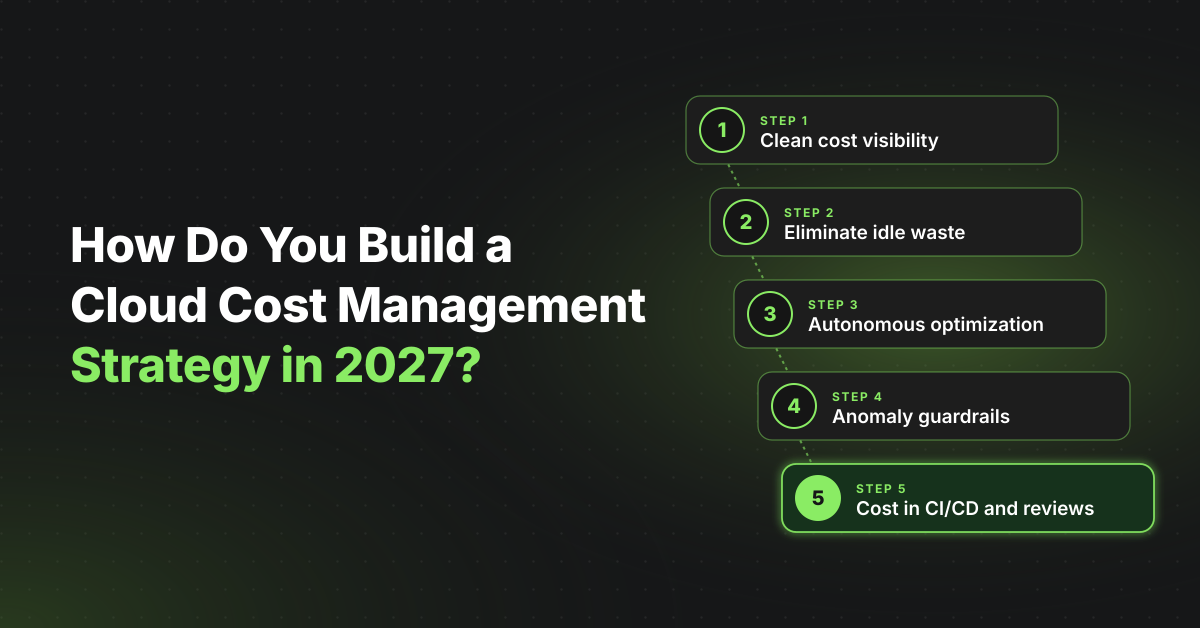
Build the strategy in five steps, ordered so each one makes the next cheaper and safer. The sequence moves from seeing the bill to automating the fixes and then preventing regressions.
- Establish clean cost visibility and virtual tagging. Ingest all bills into one dataset, define owners, and use virtual tagging or inferred allocation so untagged spend does not hide. You cannot fix what you cannot attribute.
- Automate elimination of obvious idle waste. Remove unattached, reserved, unmounted, and zero-I/O disks, idle load balancers, and orphaned snapshots under a policy with a skip tag for exceptions. This is the lowest-risk, fastest-payback step.
- Deploy autonomous optimization for storage and compute commitments. Put block storage on autoscaling and tiering, and move commitments to an automated, protected model. Start in read-only or approval mode, then widen autonomy for low-risk actions.
- Set automated anomaly guardrails instead of manual threshold noise. Use anomaly detection with routing to the owning team, plus budgets per environment, so a runaway deployment is caught in hours, not at month end.
- Embed cost awareness into CI/CD and architecture reviews. Estimate cost in pull requests where possible, expose cost per service in dashboards engineers already use, and add cost as a review criterion next to latency and availability.
Review the plan quarterly. Flexera's 2026 data shows waste can rise even when FinOps teams are in place, so governance needs to keep pace with new workloads, especially AI.
How Do You Choose the Right Cloud Cost Management Tool?
Choose by architectural fit first, then by safety, access, time to value, and fee alignment, in that order. Use this checklist in vendor calls and pilots:
- Architectural fit. Does it only show data, or does it remediate? Match this to your team's capacity: if your engineers already ignore a backlog, another recommendation engine will not help.
- Production safety and downtime guarantees. Ask for the mechanism, not the claim. Look for approvals, change windows, snapshots before changes, post-change verification, rollback, and an audit log.
- IAM permission scope. Start read-only. Map every write permission to a specific action, and check whether the tool replaces native components such as the Kubernetes autoscaler.
- Data access. Confirm the tool works from infrastructure metadata and never reads application data or sits in the data path.
- Time to value. Prefer a free assessment or read-only pilot that quantifies savings on your own accounts before you grant write access. Ask for the savings baseline in writing.
- Pricing alignment. Make sure fees scale fairly with verified savings. For share-of-savings models, ask how savings are attributed, how pre-existing commitments are treated, and what exit economics look like.
- Coverage. Confirm support for every cloud, storage type, and orchestrator you run, including AWS, Azure, GCP, and EKS.
Run a two- to four-week pilot against your own bill. Vendor claims, including Lucidity's, are marketing until your data confirms them.
When Is Lucidity the Right Cloud Cost Management Tool for You?
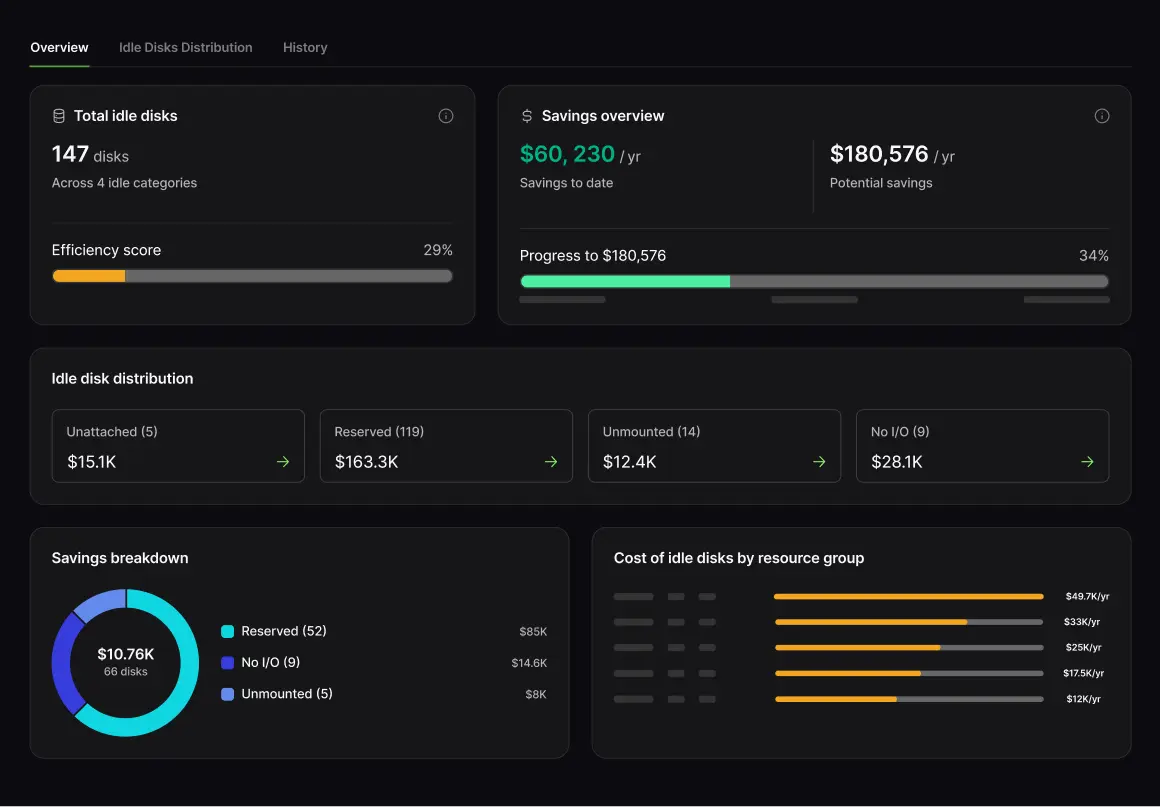
Lucidity is the strongest fit when block storage is a large line item, utilization is low, and your team avoids manual volume resizing because of downtime risk. That profile usually means data-intensive, stateful, or large-scale AWS and Azure estates, including databases, ingestion pipelines, and EKS workloads with persistent volumes.
Three signals suggest it belongs on your shortlist:
- Low disk utilization. Lucidity cites roughly 30% average utilization across its assessments. If your own volumes sit near that level, you are paying for capacity that holds no data.
- Manual resize toil. If expanding is routine but shrinking means snapshots, a new volume, and a cutover, shrinking never gets scheduled.
- Idle disks native tools miss. Reserved, unmounted, and zero-I/O disks do not appear as simply unattached.
Lucidity's site gives an illustrative example: a 2 TiB Premium SSD data disk with 9% used and IOPS p95 of 410 against 7,500 provisioned. The planned change moves it to a 512 GiB Standard SSD, taking the monthly cost from $259.05 to $38.40, applied in an approved window with latency verified afterward. That example is Lucidity's own, so use the free assessment to find your equivalents.
What does the business case look like?
The math is simple enough to paste into a board deck. Lucidity cites storage at roughly 25% of the cloud bill and 50% to 70% savings on block storage. On a $200K monthly bill, that implies about $50K of storage and $25K to $35K per month saved, or 12% to 17% of the total. These are vendor-cited inputs, so replace them with your assessment results.
If compute commitments or cost allocation are your main problems, start with Usage.ai, Vantage, or CloudZero instead and add Lucidity when storage becomes the next lever.
Next step: run the free assessment. It connects read-only in about 15 minutes, shows the waste and which fixes are safe, and changes nothing until you approve it. Prefer a walkthrough? Book a demo.
Frequently Asked Questions
What is the difference between a cloud cost management tool and an optimization tool?
A cloud cost management tool shows, allocates, and governs spend, while a cloud cost optimization tool changes resources or commitments to reduce it. Management covers visibility, tagging, budgets, and chargeback. Optimization covers rightsizing, storage scaling, and commitment purchasing. Many platforms claim both, so ask whether the product executes changes or only produces a report.
Which is the best cloud cost optimization tool for AWS and Azure?
There is no single best cloud cost optimization tool, because the right one depends on your largest cost driver. For over-provisioned block storage on both AWS and Azure, Lucidity is built for that problem. For commitments, Usage.ai covers AWS, Azure, and GCP, and ProsperOps and nOps are alternatives. For allocation and unit economics, look at Vantage, CloudZero, or Finout. Use the mapping table above and pilot on your own bill.
Why do recommendation-only cloud cost tools often fail to deliver sustained savings?
They fail because each recommendation still needs context, evidence, engineering effort, and production risk sign-off, so most sit in the backlog. Lucidity's published comparison claims generic FinOps tools find about 20% of spend but only about 5% reaches the bill, which is a vendor claim. Flexera's 2026 report shows waste at 29% even though 63% of organizations have FinOps teams, which points to the same execution gap.
How do autonomous storage optimization tools like Lucidity safely shrink volumes without downtime?
They wrap each change in policy checks, approvals, and verification, and Lucidity states that live disk changes run with zero downtime. AWS does not let you decrease an EBS volume's size, so native shrinking means a new volume and a migration. Lucidity's published controls include approval or autonomy per action, change windows, a snapshot before each change, post-change checks of latency and IOPS, a reversible audit log, and no access to application data. Ask any vendor to show these in a pilot.
How much can a cloud cost management tool realistically save on monthly cloud spend?
Savings depend on which line items the tool addresses, so multiply your share of the bill by the savings rate for that layer. Vendor claims include 50% to 70% on block storage (Lucidity) and 30% to 50% on commitment-covered spend (Usage.ai), while G2 reviewers cite savings up to 60% with CAST AI on Kubernetes compute. Flexera's 29% waste estimate is a rough ceiling on what is recoverable. Treat all of these as claims until your own assessment confirms them.
Should engineering teams use one all-in-one platform or combine specialized tools?
Most teams do better combining a visibility platform with one or two specialists. All-in-one platforms offer breadth but tend to be shallower on execution, while specialists go deeper on a single lever such as storage or commitments. Avoid running two automation tools on the same resource, such as two storage autoscalers on one volume, and make sure each tool's savings are attributed separately.
Table of Contents
Sign Up